
Slay The Spire – How to Change Music Volume
Jan 28, 2026

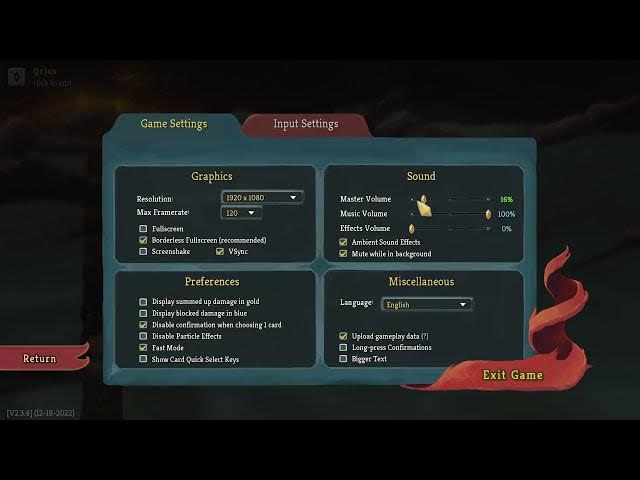
In this short video I'll show you how to change the music volume in Slay The Spire so you can hear the soundtrack or mute it while you play. We'll open the Settings menu, go to Actual Settings (Audio/Sound), and adjust the Music volume slider from 0 to 100. I also explain the Master Volume interaction — if Master Volume is at 0 you won't hear music even if Music is turned up, so set Master Volume above 0 to hear the soundtrack. This quick tip is ideal for PC and other platforms with the same in-game menu and only takes a few seconds.
How to change the music volume in Slay The Spire?
How to adjust Slay The Spire audio settings and master volume?
Where is the music volume slider in Slay The Spire settings?
0:00 Intro – what we'll change
0:04 Open the Settings menu
0:14 Go to Actual Settings / Sound
0:19 Adjust the Music volume (0–100)
0:30 Note about Master Volume — keep it above 0
0:42 Save changes and return to the game
0:43 Outro and reminders
#SlayTheSpire #GamingAudio #AudioSettings #HowTo
Find out more:
https://www.hardreset.info/devices/game/game-slay-the-spire/
Follow us on Instagram ► https://www.instagram.com/hardreset.info
Show More Show Less