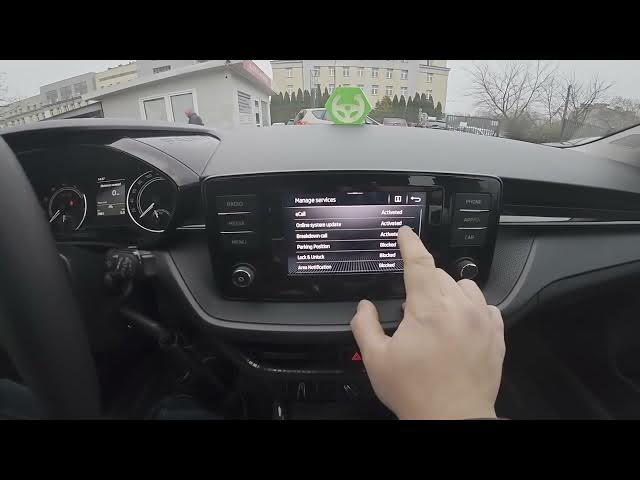

SKODA Fabia IV (2021 - now) – How to Check & Manage Activated Services
Jan 16, 2026

In this short video you'll learn how to check and manage activated services on your SKODA Fabia IV (2021 - now). We walk through the exact menu path on the infotainment screen so you can see which services are active, blocked or deactivated and change their status quickly. This is useful when you want to review Skoda Connect permissions, privacy options or stop services you no longer need. The steps are simple and shown directly on the car display so even beginners can follow along.
How to check activated services on SKODA Fabia IV (2021 - now)?
How to manage Skoda Connect services on SKODA Fabia IV (2021 - now)?
Where are Privacy Settings and Manage Services in SKODA Fabia IV (2021 - now)?
0:00 Introduction - what we'll check
0:05 Open the screen display and go to Menu
0:10 Enter Settings and open Skoda Connect
0:18 Go to Privacy Settings
0:22 Select Manage Services to view active/blocked/deactivated
0:30 Tips and final reminder (like, comment, subscribe)
#SkodaFabia #SkodaConnect #CarSettings #FabiaIV
Find out more:
https://www.hardreset.info/devices/skoda/skoda-fabia-iv-2021-now/
Follow us on Instagram ► https://www.instagram.com/hardreset.info
Like us on Facebook ► https://www.facebook.com/hardresetinfo/
Show More Show Less