0:00
Here I have Samsung Galaxy S10e and let me show you how to use here secret codes on the
0:12
following device. So at the very beginning let's open here the fonts dialer right here and let's use the
0:18
first secret code so let me start with the firmware version. Let's input here the asterisk pound, 1, 2, 3, 4 pound and as you can see the firmware
0:28
version of that device just pops up. Let's go back by using the back key and now it's time to open the testing menu so let's
0:36
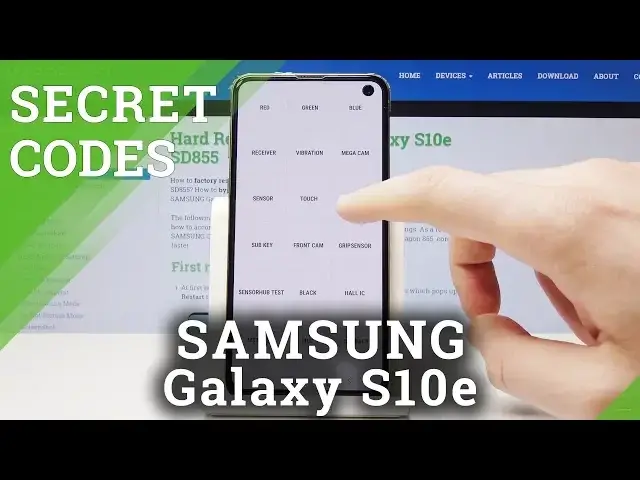
use this code asterisk pound, 0 asterisk pound. As you can see the following test menu just pops up, here you can test your screen for
0:44
example the red color, green, you may test blue, you may also test the receiver, vibration
0:54
speakers, touch, sensor and a lot of more. If you would like to go back just use the back key right here twice
1:07
Now let me make my screen brighter and let's go next. Now let's open the service mode so let's use asterisk pound, 0011 pound
1:19
The service menu just pops up, here you've got a few information, you can also use the
1:23
more key right here and you can go back by using the back key
1:27
Now it's time to open advanced service menu, let's use asterisk pound, 2683662 pound
1:39
As you can see the following service menu just pops up. Let's go back, now it's time to open the battery status so you have to use the asterisk pound
1:50
228 pound. And the following battery status pops up, here you've got a few battery information
1:58
that you can use. Let's go back, now it's time to open the USB mode so let's use the asterisk pound, 0808
2:07
pound. And now you can change for example the USB mode if you would like to, you can here set
2:12
up some USB settings. Let's go back, it's time to open advanced firmware version so let's use asterisk pound
2:19
2663 pound. And the advanced firmware version just pops up in front of you
2:27
And at the end let me show you how to check IMEI and serial number by using secret code
2:31
so let's use asterisk pound, 06 pound. And the following information just pops up, tab OK to close this window
2:39
And basically that's it, everything went well, thank you for watching, please subscribe our
2:43
channel, leave thumbs up under the video. And I'll see you in the next video