0:00
Here I have Li E.Colid2 and let me show you how to use secret code on the following device
0:13
So at the very beginning let's start by using the home screen. Let's use the fonts dialer right here and let's use the following secret code
0:21
At the very beginning let me use MBN test. So let's use here asterix pound
0:26
Asterix pound 6 to 6. 6 pound asterix pound asteris as you can see mb.m. 10s just pops up so here you can use this menu
0:36
you can also exceed this by using the following key. Now let me show you have to use hardware ambient
0:42
configuration so you need to use this code asteris pound asteris pound 3 to
0:51
663 4 4 pound asteris pound asteris as to as you can see the following
0:58
following hardware ambient configuration pops up. Here you've got current location. So you can also here use more key and use location configuration and that's it
1:09
Let's go back. Now it's time to check out and use the software ambient configuration
1:14
So let's use this code asterix pound, asterisk pound, 6. 2, 663, 4, pound asterisk, pound asterisk, pound asterisk, pound asterisk, 623, 4, pound asterisk
1:28
As you can see the software configuration pops up right here. Let use the bug key to quit this menu Now it time to use and read the phone message storage So let use this code asterix pound asterisk pound 38 6 7 6 6 7 7 7 7 6 7 6 7 7 3 2 pound asterix pound asterix
2:06
and some information about the phone message storage pops up let me enter this code one more time
2:13
3867 667 67 677 3 2 pound asterix pound asterix here we've got the information so that's it now let's go next let me show you how to check the calendar info so let's use this code
2:35
Let's enter asterix pound asterisk pound two to five pound asterisk pound asteris
2:43
and the calendar info just pops up in front of you. Here you can also use the Android testing menu so let's input asterix pound asterisk pound
2:52
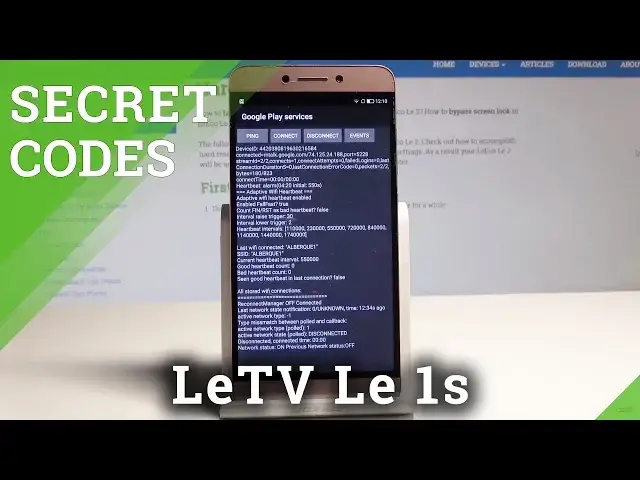
four to six pound asteris pound asteris and this is like the Google Play service mode
3:01
so here you can use the following information but you can also enter the Android
3:05
Testimini by using this code, épisode, asterix pound, asterix pound, 4636, pound asteris
3:16
This is the Android testimony here you can navigate by tapping appropriate options You can choose here phone info when you can read email number phone number signal strength You can here run a pink test or use more key in order to select radio band view see my address book
3:31
view fix the handling numbers or get PDP list. Let's go back
3:35
You can also here use the battery info. Here you've got the battery status, battery lever, battery health or battery temperature
3:43
You can also here tap user statistics and read the last time used
3:47
the last time used or usage time. Use bug key. Now let's tap Wi-Fi information
3:53
Here you can select Wi-Fi API. When you can disable network, disconnect network, enable network, get-configure networks or get connection info
4:01
You can also go back and choose Wi-Fi status. Here you've got all stats
4:05
You can refresh them or run a pink test as well. Use bug key again
4:10
Here you can also use the Li-Eko key. This is the key
4:14
Alright, let's use the Back key one more time. You can also here open the debug UI, so let's use asterix pound, asterix pound, 759 pound asterisk, pound asteris
4:26
The following screen should pose up. Here you can, for example, change OEM mode or view clients' IDs
4:32
Now it's time to enter the feedback menu, so let's use this code
4:38
Asterix pound, asteris pound 8, 8, 8, 8, pound asterisk, pound asterisk
4:44
As you can see the following feedback menu pops up, here we've got some advanced settings
4:49
modem lock, kernel log, and other stuff as well. Let go back it time to open here the settings simply so let use here asterix pound asterix pound seven nine sorry seven six nine Asterix pound 79 Sorry 7 6 9
5:09
37 pound asterix Pound asterix As you can see the following debug utility pops up
5:17
Here you can use the following settings Let's go back Now it's time to open
5:23
In other settings menu Just the simple Android settings. settings let's use here asterix pound asterix pound for three sorry for six three six
5:43
zero zero zero pound asterix pound asterix this is the settings menu here you can use default
5:50
USB settings night adagement mode show character key and enable background resource control
5:57
So that's it. Now it's time to open the debug utility. So let's use the asterix pound
6:05
Asterix pound 9. 4. 3.9 pound asterix. This is debug utility but in Chinese so you can use it
6:19
And at the end, let me show you how to check email number by using the secret code
6:23
So let's use asterix pound, 06 pound. the main number just puts up in front of you
6:29
So that's it. Everything went well, thank you for watching. Please subscribe our channel, leave thumbs up under the video