0:00
Here I have BlackVue BV9000 and let me show you all the secret codes for the following
0:12
device which will enable you opening the hidden modes. So let's start with the very useful one which will show you your email number, let's open
0:21
the phone dealer at first and then enter a secret code which is asterisk pound 06 pound
0:32
and actually that's it, here is your email number, actually here are both of your email
0:36
numbers and if you would like to know it, if you would like to write it down somewhere
0:41
you can simply use this code to see what your email number is
0:45
Tap on OK to go back and then we'll go to the second very useful code which will open
0:51
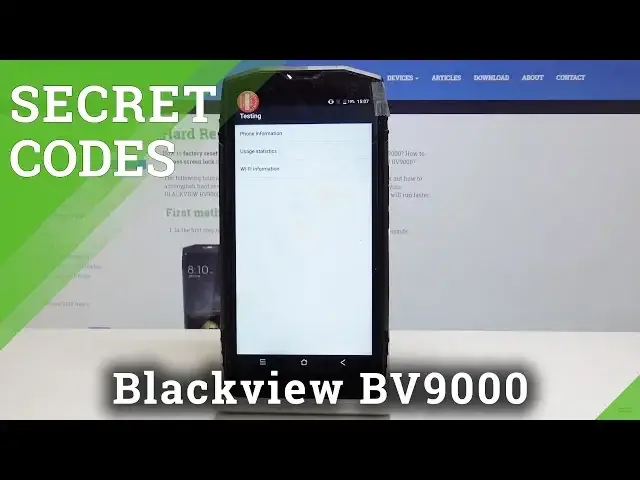
the test in menu, so let's enter asterisk pound, asterisk pound, 4636 pound asterisk
1:01
pound asterisk and as you can see here you've got test in menu, you've got several options
1:07
so let's open phone information and here you can see what your email number is, you can
1:13
see your phone number, current network, signal strength, data service, voice call status
1:18
and all the other useful information, you can also run ping test here, just tap over
1:24
here and here are the results, so let's go back and then you've got the usage statistics
1:31
so open this option and in this menu you will be able to see your last time of your app's
1:38
usage, you will find here all your applications so you can also sort them by name or by time
1:46
of usage so it's up to you, let's go back, okay so let me enter this code one more time
1:55
4636 pound asterisk, pound asterisk and also there's a Wi-Fi information so you can open it
2:05
and now you can select the Wi-Fi APA so the first option and here you will be able to notice
2:12
disabled network, disconnected networks, enabled networks and all the other info so let's go back
2:19
then you've got the Wi-Fi configuration and here you will be able to see all configured networks
2:25
and then the Wi-Fi status and here you can see your Wi-Fi state, network state and all the other
2:32
information, you can also run a ping test here just by tapping on this icon, you can do it and here
2:37
are the results so let's go back and now I will present you another super code which will show
2:46
you all the calendar's events in one place so let's enter asterisk pound, asterisk pound
2:53
225 pound asterisk 225 so it should be 5 not 8 pound asterisk, pound asterisk
3:01
and that's it now you're in calendar info so all the events from your calendar from your gmail
3:09
from your devices calendar will be in one place so you can easily open it and see all the events
3:15
so you will not forget about any of them and let's go back to the very last but not least
3:22
obviously code which is asterisk pound, asterisk pound 426 pound asterisk, pound asterisk
3:33
and now you are in google play services so you can run a ping test here you can check the connection
3:40
this connection and events and their status so actually that's it enjoy your codes use them
3:48
whenever you need or want to and that's it thank you for watching please subscribe our
3:53
channel and leave the thumbs up