0:02
From me, I have series I have the Real Me Watch 2 Pro, and today I will go on unboxing and I guess just a pairing of it and maybe a brief overview
0:16
So without further ado, let's just flip it over and before I actually go into an unboxing I will quickly just touch upon the things that are here
0:25
So we have a apparently 4.4 centimeter, or more precisely one. 0.75 inch display. We have high precision dual satellite GPS, 14-day battery life
0:37
which is actually interesting, blood oxygenation, hard rate monitor and so on, 90 sports mode and
0:43
100 style of weather watch faces which actually that's actually quite nice. Now I do touch upon
0:52
maybe this part the watch faces. It's nice that they included a bunch of them because it is
0:57
running their proprietary OS so you're not going to get access to like the Play Store
1:04
because it's not running Android wear OS so anyway let's just open it up now for this
1:15
when I'm going to be pairing it I have some Real Me GT right here so that's probably
1:20
what I'm going to be pairing it with so I don't have to download an application so anyway let's get it out of here now
1:27
Now, I'll write off the bad mention, the packaging here is basically almost identical to what the Apple watch comes packaged that
1:38
And that's probably because both of the companies are basically the same company almost
1:44
Now right of the bat the watch feels really light lighter than I expected So let turn it on
1:56
If I can, there we go. So it's turning on right now. Let's see what else we get in the box, so nothing in here
2:02
And you see paperwork in here. So I just leave it here
2:09
And in here we got the Charter, so this is only a USB to the Magdxie
2:14
Oh, magnetic charger right here, there is no charger included with it
2:19
So you will need to already have one for this. Let's see what to get here
2:27
So let's set it up, English, yep, that's what I'm going to stick with. And QR code
2:33
No, how do I scan the QR code here? To be completely fair, I have no idea where
2:44
I have the scanner on RealMe phones, so that poses a challenge here
2:54
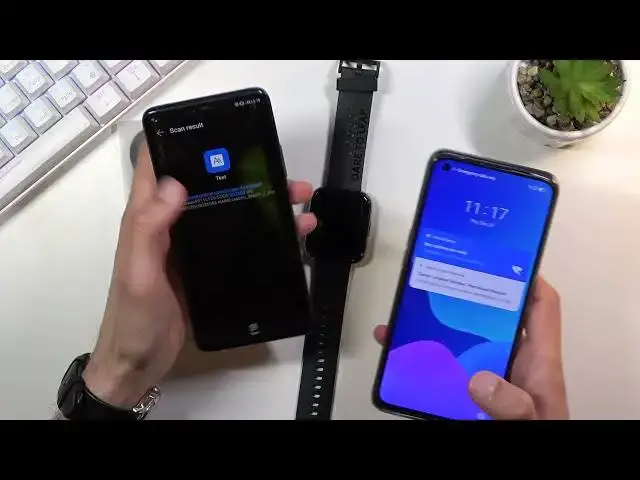
No, that's just an application or photos. You know what, I'm going to grab my phone for this because at least I actually know where
3:09
the QR scanner is there. So let me quickly launch my camera
3:14
Let's go into here and voila we have the QR scanner. Oh, it just brings me to a website
3:25
That's a little bit disappointing. So, see what the application is called here
3:33
Yes let install this and see what we get Now I guess while I installing this I going to quickly go over the specifications of this watch
3:47
apart from what I already read on the back of it. So the resolution of this display is..
3:58
Quickly just go over here. Okay, so the resolution is 320 by 385 pixels
4:05
It's an IPS LCD display with a peak brightness of 600 nets, so not that high to be honest
4:13
And it has a 99.1% screen-to-body ratio. I would really like to see the entire screen right here, but I'm kind of just locked into the black borders
4:22
I can't really see. And it has a IP rating of 68, although I can't really swim with it
4:29
It's not really rated for that. So I guess showers are okay, but swimming and like fully submerging
4:35
the watch is not part of it. And lastly, it has a 390
4:42
milliams of batteries. So again, not the biggest battery. Probably would have suited it better to have a little bit of a bigger one
4:50
But then again, if that watch actually lasts for the 14 days
4:55
that they're advertising, then that probably should be, I guess, far enough of the battery that is needed
5:03
So let me quickly. Search for it, watch too. No, that's not really what I'm looking for
5:15
What is this? Quickly go back to the QR. As you can see I kind of guessing what I need to download I have no actual clue
5:39
So the user experience here isn't necessarily the greatest, at least not for the start
5:46
Okay, honestly I'm not going to be creating
5:57
a upload more account just for this providing my phone number and that's not happening so yeah uh
6:04
that's basically the it i can't really show you really anything i guess someone else will go over
6:12
pairing the device so uh you can see it there how it functions the different like watch faces
6:18
and just overall user experience of it now for the unboxing i guess there is no uh overview or look at
6:26
the device itself apart from the physical look of it, which to be fair it does kind of feel cheapish
6:35
It's fairly light and I'm pretty sure the screen is a little bit less than 90, what
6:42
is it, 99% screen to body ratio because I can already see at an angle
6:48
You see it, there is a bezel right here and all around
6:52
You can actually see it for a 99% I would expect it to go literally to the, you know
6:57
every ad possible and it's not doing that so yeah now so that being said this would conclude
7:04
the overview of this phone oh not phone but watch and if you found it helpful in any way don't
7:10
forget to head like subscribe and thanks for watching