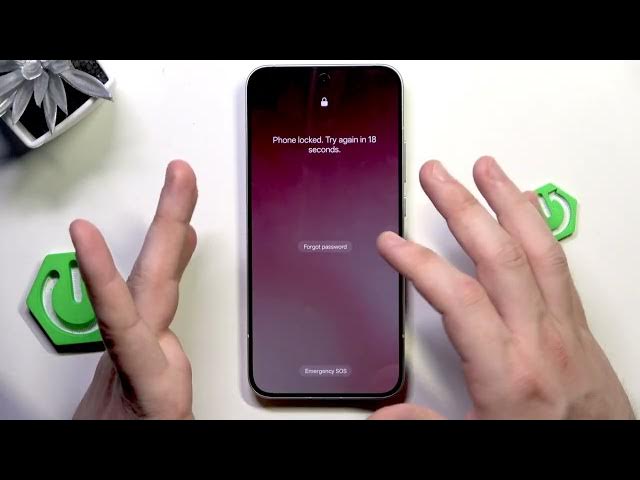
0:00
Hello. In this video, I'm going to show
0:01
you how to unlock Oppo Rino 15 without
0:09
Okay, but please only try to unlock your
0:11
phone. In no other case, someone else's
0:12
because that might be considered as a
0:14
crime and that's also unethical. Second
0:16
thing is that we need to perform a
0:18
factory reset using the recovery mode.
0:20
So, all of our data will be erased from
0:22
our device. We need to remember about
0:24
it. And the third thing is that after
0:27
the reset when we get into the setup
0:29
process, the phone will want to verify
0:31
us or by typing the screen lock. Of
0:33
course, we won't be able to do it
0:34
because we cannot remember it. Uh but
0:36
there's a second option and it's signing
0:38
in into the same Google account into
0:41
which we are logged in before the reset.
0:45
So you need to remember about it. You
0:47
will have to verify yourself by logging
0:49
in into your Google account that you
0:51
were using before the reset. Okay. So
0:55
now I'll show you that the phone is
0:56
locked. I cannot remember the password.
1:01
And now even if you click on forgot
1:02
password, it says that you need to
1:04
perform a factory reset or you can try
1:08
uh to official support or go into the
1:16
customer service and try to look for
1:18
help there. But let's do it uh home
1:22
method. So we need to power off our
1:24
device first. Click power key and volume
1:25
up and select power off.
1:30
Okay. To enter recovery mode, we need to
1:32
hold power key and volume down at the
1:34
same time until we see the Oppo logo.
1:36
When it appears, release the finger from
1:38
power key, but keep holding volume up.
1:41
So volume down and power.
1:47
Now release from power key and keep
1:55
Okay, we are in the recovery mode. Now,
1:57
using volume keys, we can select the
2:00
If you want to confirm the selected
2:02
option, simply click the power button,
2:03
but the touch screen also works. Now, we
2:06
need to select format data. I know that
2:08
it's really dark, but it's impossible to
2:09
change the brightness right in here. And
2:11
now, we need to type this code using our
2:18
Now, click on format. It's right in
2:20
here. It's uh barely noticeable, but in
2:23
here we have the format button. The
2:25
process has now started. So, we need to
2:27
wait until it's done. Okay, data
2:29
formatted. Click on okay. And now we
2:31
just need to simply wait until our phone
2:33
turns on. And the next thing that we
2:35
have to do is to go through the setup
2:36
process. All right. Now, that's all in
2:38
this video. Thank you for watching. If
2:39
you found this video helpful, please
2:41
leave a like, comment, and subscribe.