0:00
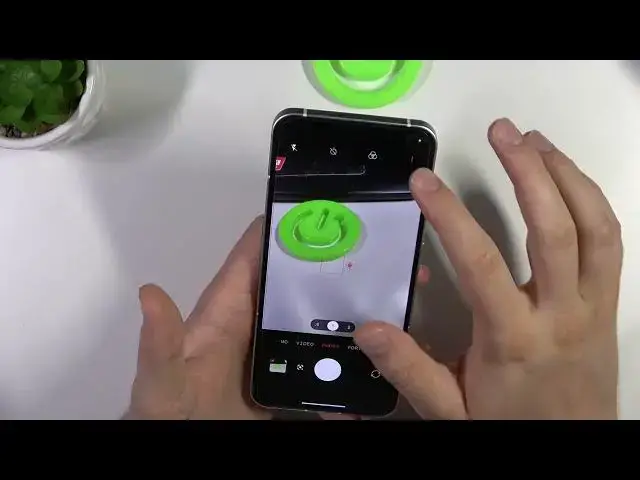
Hello, in this video I'm going to show you a few camera tips and tricks for the Nothing Phone 2 camera
0:10
So let's get started and we are going to start from the standard photo mode
0:14
and right here we can find some few useful options. The first one we can use the volume
0:18
buttons to take the photos. As you can see they are located on the left side and when you click
0:23
on the volume up or volume down you will just take the photo. When you click and hold one of this button
0:30
as you can see you can record videos. When you click and hold this shutter we can also record the videos but we can move our finger to
0:43
the lock and right now we don't have to hold this button anymore and we can just take the photos
0:48
while recording the video. Next when you want to change for example the brightness level
0:56
click on the screen and move this sun icon up and down to increase or decrease the brightness level
1:04
You can also do this automatically by tapping on the screen once. When you click and hold one of
1:08
this preset, take a look, you will unlock this slider and you will be able to zoom in to 10 times
1:15
Next when you click in this place you can add some filters. It changes actually the look of
1:28
your photo and also the color and the temperature. This one looks actually really cool and the glass also
1:35
To turn it off just click right here. Next you can add the delay to your shutter between 3 or 10 seconds
1:51
There's also the countdown with the glyph lights. If you want to get more light on your photos you
1:58
can of course use the flashlight or the glyph. Take a look, just click right here, the glyph is turned on
2:06
It looks really cool actually. Not in the camera, it's not that impressive actually but on the real life it looks really good
2:13
When you click a second time you will just turn on this normal flashlight so when you take the photo
2:20
as you can see it will light up. There we go. You can just turn it on permanently
2:29
and then we can just simply click on these three lines where we can get this quality photos, the 50 megapixel photos
2:37
So it will give us basically more details. When you open the settings you can find other options
2:47
You can for example get rid of this shutter sound. You can also use this function to take the photo
2:56
So take a look, you can just click on the screen and the photo will be taken
3:02
You can find also on this phone other modes like slow motion where you can actually adjust
3:07
the speed of the slow motion so we can go between 120 frames to even 480 and you can also switch
3:17
the resolution between full hd and the 4k. If you go for the 4k you can only stay with 120 frames
3:25
There's also the video mode where you can also switch between full hd and the 4k and you can also switch between the frame rate
3:38
When you go for the more modes we can find for example the expert mode so we can adjust
3:44
exposure, ISO, shutter speed, white balance, focus range and we can also change the photo format
3:52
And honestly that's all camera tips and tricks for the Nothing phone 2
3:58
That's all for this video, hope you like it