
MERCEDES-BENZ EQA – How to Manage Pre-Entry Climate Control
Jan 2, 2026

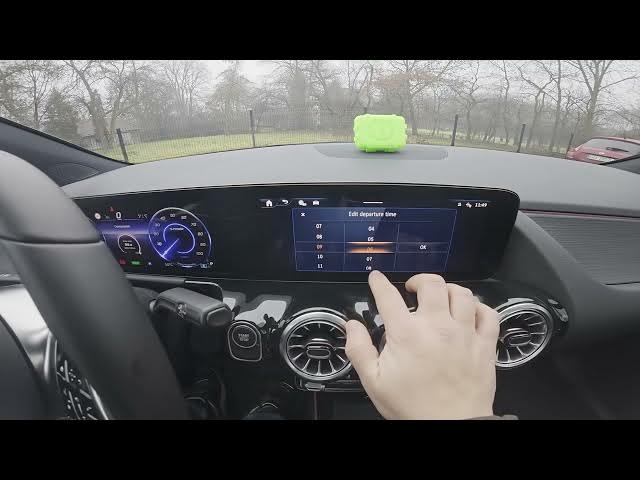
Learn how to manage the pre-entry climate control on a MERCEDES-BENZ EQA. In this short, step-by-step video you will see how to open the car display, go to Menu → Pre-entry climate control, set a departure time (example: 9:00), choose Once or Weekly profile, add and edit times, select days and enable activation options like "Activate when unlocked" or "Driver's seat ON". This lets you precondition the cabin for comfort, defog windows, and save time before your drive. The instructions are shown directly on the EQA screen and are suitable for MERCEDES-BENZ EQA owners wanting reliable preconditioning control and EV climate tips.
How to manage pre-entry climate control on MERCEDES-BENZ EQA?
How to set departure time for pre-entry climate control on MERCEDES-BENZ EQA?
How to enable Activate when unlocked for pre-entry climate control on MERCEDES-BENZ EQA?
0:00 Introduction and overview
0:07 Open the screen display and go to Menu
0:12 Enter Pre-entry climate control
0:27 Edit departure time (example: set 9:00)
0:31 Choose Once or Weekly profile and add a new time
0:46 Select days and confirm the departure time
0:54 Enable activation options (when unlocked / driver’s seat ON)
1:08 Pre-entry climate control enabled — wrap up
#MercedesBenz #EQA #PreEntryClimateControl #EVTips
Find out more:
https://www.hardreset.info/devices/mercedes-benz/mercedes-benz-eqa/how-to-manage-pre-entry-climate-control/
Show More Show Less #Autos & Vehicles
#Hybrid & Alternative Vehicles