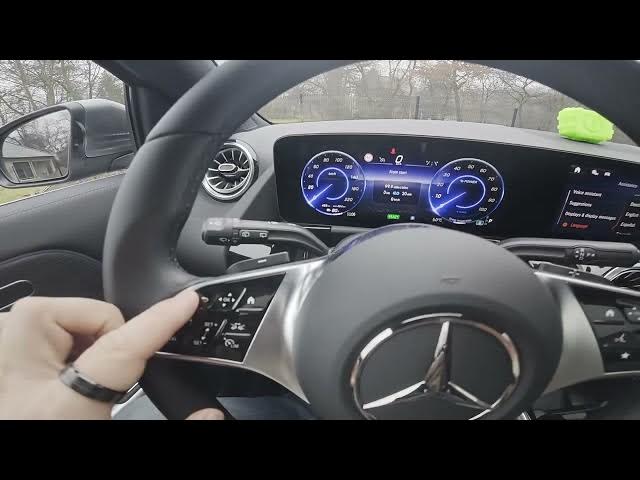

MERCEDES-BENZ EQA – How to Change Instrument Cluster Style
Jan 2, 2026

In this short video I show how to change the instrument cluster style on a MERCEDES-BENZ EQA. You’ll see where the control is, how to open the cluster menu, and how to switch between available styles step by step. This guide covers the left steering wheel panel, using the Home button to open the menu, and swiping left or right to pick styles like Understated, Sport, Classic, Navigation and Assistance. I also show where to find the Service menu entries such as Assist Plus, Service, Tire Pressure, Message Memory and Speed. Follow along to customize your EQA cluster quickly and easily.
How to change instrument cluster style on MERCEDES-BENZ EQA?
How to access the instrument cluster menu on MERCEDES-BENZ EQA?
How to open the service menu on MERCEDES-BENZ EQA instrument cluster?
0:00 Introduction — what we will change
0:08 Locate the left steering wheel panel and Home button
0:21 Open the cluster menu and navigate
0:30 Swipe left/right to change styles (Understated, Sport, Classic, Navigation, Assistance)
0:37 Quick look at Service menu options (Assist Plus, Service, Tire Pressure, Message Memory, Speed)
0:49 Wrap up and subscribe for more car tips
#MercedesBenz #EQA #InstrumentCluster #CarTutorial
Find out more:
https://www.hardreset.info/devices/mercedes-benz/mercedes-benz-eqa/how-to-change-instrument-cluster-style/
Follow us on Instagram ► https://www.instagram.com/hardreset.info
Like us on Facebook ► https://www.facebook.com/hardresetinfo/
Show More Show Less