0:00
Here we've got Lieco LES-3 and let me show you all the secret codes that you can use
0:08
on this device. So at first you have to open your phone dialer and let's start with the first code which
0:15
is asterisk pound, asterisk pound, 4636 pound asterisk, pound asterisk. And as you can see now we are in testing mode performed by Google where you can locate phone
0:28
information, battery details, usage statistics, Wi-Fi info and also Lieco key. So let's start with the first tab which is phone information
0:37
Here you can come along with email number, phone number if you have your SIM card included
0:42
then you can perform a ping test here. Just tap on the tab and then you've got the solution below and just come along with all
0:50
details included in this tab. Let me go back. Then under battery information you can read your battery status, plugged in, battery level
1:00
battery health, voltage, temperature, technology and also time since boot. Then under usage statistics you will have all the details regarding your application
1:12
so if you would like to check for example usage time, smoothly open this tab and select
1:18
the application that you would like to check. Under Wi-Fi information you can come along with Wi-Fi APA, Wi-Fi configuration and also
1:26
Wi-Fi status and then you can also check Lieco key smoothly by tapping on the tab and here
1:31
you can read it. So let me go back. That would be all for this first code and let's go to the second one and it's asterisk
1:38
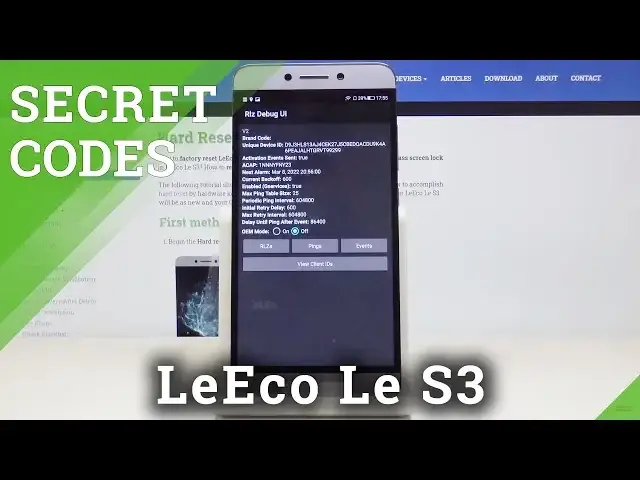
pound, asterisk pound, 759 pound asterisk, pound asterisk. And now we are in debug menu where you can locate brand code, unique device ID, activation
1:50
event sent and many other useful information. You can also check pings, events and client ID right here
2:01
Let me close it. Then another code is asterisk pound, asterisk pound, 426 pound asterisk, pound asterisk
2:11
And here we are in diagnostic mode where you can come along with events and status so smoothly
2:17
Enter this shortcode and then come along with so advanced details and then we've got asterisk
2:23
pound, asterisk pound, double to five, pound asterisk, pound asterisk. And this code will enable you to have all information from the calendar stored in one
2:33
place so if you'd like to check holidays or if you'd like to check some important celebrations
2:39
important dates, enter this code and you can come along all of them right here
2:44
As you can see, just click and here you've got event 42, then event 7 and we have nothing
2:51
on local. So this is it. This is how you can smoothly and easily check the calendar
2:57
And another code is asterisk pound, 06. And as you can see now, you can come along with both email numbers assigned to your device
3:06
so if you would like to provide someone with your email number or if you would like to
3:10
check your device and some online checker, smoothly enter this code and then be aware
3:15
what your email number is. So this is it. That would be all
3:19
This is how you can smoothly, quickly and easily use all secret codes in your Leecho LES3
3:23
Thank you for watching. Please subscribe our channel and leave the thumbs up