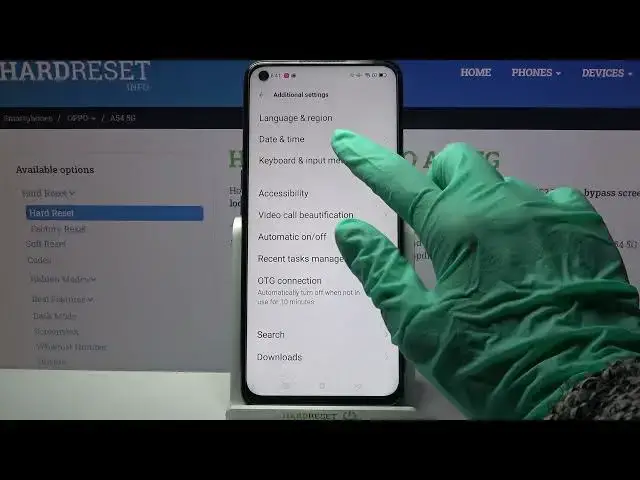

How to Turn On Auto Correction in OPPO A54 5G – Turn Off Auto Correction
Jul 11, 2024

Learn more info about OPPO A54 5G:
https://www.hardreset.info/devices/oppo/oppo-a54-5g/
If you want to type fast on the keyboard of your OPPO A54 5G and you don't want to worry about linguistic errors and typos- we have the perfect solution for you - you should activate auto-correction. Thanks to auto-correction, all language mistakes will be automatically corrected, so you won't have to waste time correcting your text. Discover more text correction options on your OPPO A54 5G - go to our YouTube channel and find tutorials created by our specialists there.
How to activate auto correction in OPPO A54 5G? How to use auto correction in OPPO A54 5G? How to turn on auto correct in OPPO A54 5G? How to turn off auto correct in OPPO A54 5G? How to switch from auto correct to normal keyboard in OPPO A54 5G? How to enable auto correction in OPPO A54 5G? How to switch off auto correction in OPPO A54 5G? How to use text correction option on OPPO A54 5G? How to activate text correction option on OPPO A54 5G? How to use text correction on OPPO A54 5G? How to adjust text correction on OPPO A54 5G?
#Autocorrection #TextCorrectionOptions #OPPOA545G
Follow us on Instagram ► https://www.instagram.com/hardreset.info
Like us on Facebook ► https://www.facebook.com/hardresetinfo/
Tweet us on Twitter ► https://twitter.com/HardResetI
Support us on TikTok ► https://www.tiktok.com/@hardreset.info
Use Reset Guides for many popular Apps ► https://www.hardreset.info/apps/apps/
Show More Show Less