0:00
Welcome, if you want to transfer data from Android smartphone to your Oppo Reno3, for
0:12
the first you have to go to the Google Play Store and download application to transfer data
0:17
I recommend you to get application named Clonet, it's really easy to use and totally free
0:24
So let's open it on the Android phone and also on our Oppo Reno3
0:32
Click allow few times, tap on the yes I agree, click sender on your Android phone, tap on
0:41
the set, turn on location, now just go back and click sender again, tap on the resaver
0:48
on your Oppo, click allow, set, turn on location, go back and click on the resaver again, click
0:55
on the search again, search again, again and right now our smartphone is looking for each
1:01
other so we have to wait a little bit. Click on the Android share 4 3 1 6 icon and as you can see we can connect in the two ways
1:15
so we can scan the QR code but also we can input the password manually, the password
1:20
you can find right here. I'm gonna scan the QR code, so tap to scan, click on the allow and just lift your phone
1:30
and put it in the frame of the QR code, scan it, now our smartphones are connecting, accept
1:36
the request on the Android smartphone and if you want to take everything just click
1:40
on all of these icons, select them and click on the start but in my case it is only example
1:46
so I'm going below for the details and I will skip for the music, I'm gonna unselect them
1:53
because I wanna take the free songs so I'm gonna take this one, this one and the last
1:58
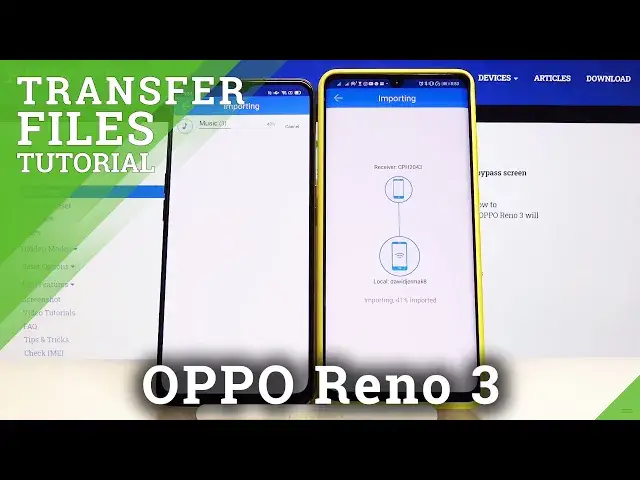
one will be the Post Malone Better Now. Click on the start, ok, it's importing, it will be finished in a few moments and it is
2:08
so right now we can enter the files of our Oppo, we will find there the audio that we
2:18
sent from the Android smartphone to our Oppo Reno3. Thank you guys for watching, leave thumbs ups, comments and subscribe to our channel