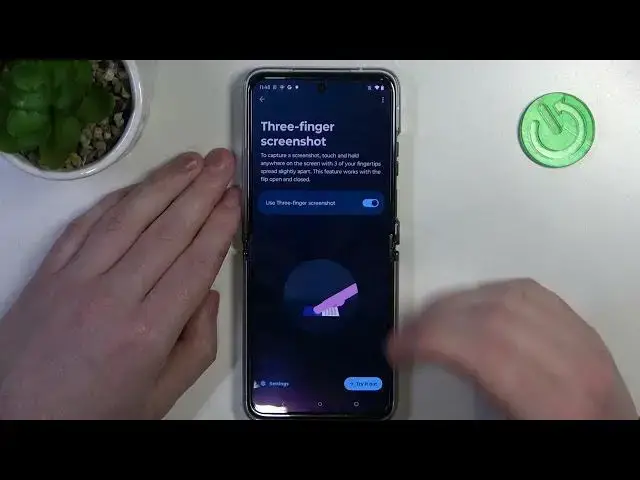

How to Take Full Page Screenshot on MOTOROLA Razr 40 Ultra - Long Screenshot - Scrolling Screenshot
Mar 16, 2024

Learn more about the MOTOROLA Razr 40 Ultra: https://www.hardreset.info/devices/motorola/motorola-razr-40-ultra/tutorials/
Capture entire web pages, lengthy conversations, or any content that extends beyond the screen with ease on your MOTOROLA Razr 40 Ultra. In this comprehensive tutorial, we'll guide you through the process of capturing scrolling screenshots on your device, enabling you to capture more in a single image. Learn how to access and activate the scrolling screenshot feature on your MOTOROLA Razr 40 Ultra, as well as tips for optimizing the process for different apps and content. We'll also explore how to edit and share your scrolling screenshots, giving you full control over your captured content. Whether you're a casual user or a power multitasker, this video will unlock the full potential of capturing scrolling screenshots on your MOTOROLA Razr 40 Ultra. Watch now and elevate your screenshot game to the next level.
How to take a long screenshot on MOTOROLA Razr 40 Ultra? How to capture a scrolling screenshot on MOTOROLA Razr 40 Ultra? How to manage screenshots on a MOTOROLA Razr 40 Ultra?
#MOTOROLARazr40Ultra #Screenshot #MOTOROLADisplay
Follow us on Instagram ► https://www.instagram.com/hardreset.info
Like us on Facebook ►
https://www.facebook.com/hardresetinfo/
Tweet us on Twitter ► https://twitter.com/HardResetI
Support us on TikTok ► https://www.tiktok.com/@hardreset.info
Use Reset Guides for many popular Apps ► https://www.hardreset.info/apps/apps/
Show More Show Less