0:00
Hi, welcome to our channel. Today we are going to show you how to
0:04
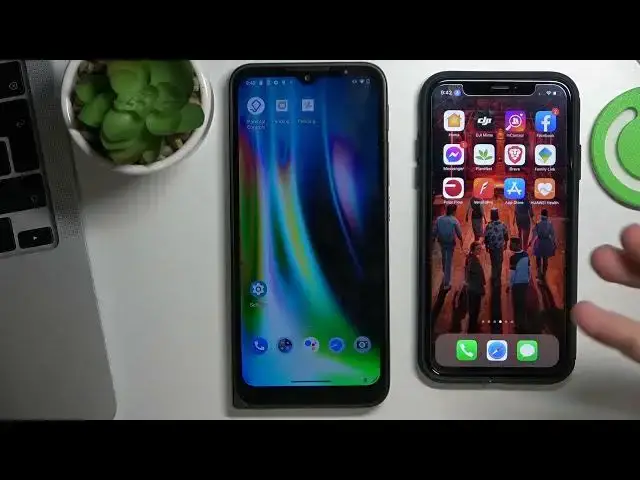
set up and how to install Family Link on your child's Motorola Defi
0:14
If you want to supervise child's device using your device, you need to install Family Link on your child's device
0:23
Firstly, open Settings on the child's phone, then scroll down and click Add Account. You need to add child's Google account with the password
0:39
that only you will know, because if the child knows the password from his own account
0:44
he will be able to bypass the blocking of Google Family Link. So click Add Google
0:50
enter Google email, click Next, the child's password, click Next, I agree
1:10
I agree, tapped, cool. Now go back to the Settings menu, scroll down, click Google
1:25
scroll down again, click Parental Controls, Get Started, Child or Teen, Next, then
1:36
Teen. Cool. Now choose child's account here, and here you need to link child's device
2:00
child's Google account to your parent's Google account. So here you need to enter into your Google account. So enter email
2:12
enter password, click Next, scroll down and confirm child's Google account
2:31
So here you need to enter into your Google account. So here you need to enter into your Google account. So here you need to enter into your Google account
2:37
So here you need to enter into your Google account. So here you need to enter into your Google account
2:41
So here you need to enter into your Google account. So here you need to enter into your Google account
2:45
So here you need to enter into your Google account. So here you need to enter into your Google account
2:49
So here you need to enter into your Google account. So here you need to enter into your Google account
2:53
So here you need to enter into your Google account. So here you need to enter into your Google account
2:57
So here you need to enter into your Google account. So here you need to enter into your Google account
3:01
So here you need to enter into your Google account. So here you need to enter into your Google account
3:05
So here you need to enter into your Google account. So here you need to enter into your Google account
3:09
So here you need to enter into your Google account. So here you need to enter into your Google account
3:13
So here you need to enter into your Google account. So here you need to enter into your Google account
3:17
So here you need to enter into your Google account. So here you need to enter into your Google account
3:21
So here you need to enter into your Google account. So here you need to enter into your Google account
3:25
So here you need to enter into your Google account. So here you need to enter into your Google account
3:29
So here you need to enter into your Google account. So here you need to enter into your Google account
3:33
So here you need to enter into your Google account. So here you need to enter into your Google account
3:37
So here you need to enter into your Google account. So here you need to enter into your Google account
3:41
So here you need to enter into your Google account. So here you need to enter into your Google account
3:45
So here you need to enter into your Google account. So here you need to enter into your Google account
3:49
So here you need to enter into your Google account. So here you need to enter into your Google account
3:53
So here you need to enter into your Google account. So here you need to enter into your Google account
3:57
So here you need to enter into your Google account. So here you need to enter into your Google account
4:01
So here you need to enter into your Google account. So here you need to enter into your Google account
4:05
So here you need to enter into your Google account. So here you need to enter into your Google account
4:09
So here you need to enter into your Google account. So here you need to enter into your Google account
4:13
So here you need to enter into your Google account. So here you need to enter into your Google account
4:17
So here you need to enter into your Google account. So here you need to enter into your Google account
4:21
So here you need to enter into your Google account. So here you need to enter into your Google account
4:25
So here you need to enter into your Google account. So here you need to enter into your Google account
4:29
So here you need to enter into your Google account. So here you need to enter into your Google account
4:33
So here you need to enter into your Google account. So here you need to enter into your Google account
4:37
So here you need to enter into your Google account. So here you need to enter into your Google account
4:41
So here you need to enter into your Google account. So here you need to enter into your Google account
4:45
So here you need to enter into your Google account. So here you need to enter into your Google account
4:49
So here you need to enter into your Google account