0:00
Hi, in front of me is Samsung Galaxy Flip 5, and today I would like to show you how you can set up an alarm clock
0:16
You need to begin by accessing Clock App, and clicking on Alarm at the bottom left corner of it
0:29
Then, to add a new one, tap on this plus located next to three dots
0:39
Finally, set up an hour. When you're ready, pick days of the week by tapping on the chosen ones
0:51
in my case Mondays and Fridays, and click on Alarm Name. Now you can label your alarm however you want to, if you want to
1:12
When you're ready, you can click on all of those switches next to all of those features to switch them off or on
1:24
You can also tap on all of them to adjust them. I will start with Alarm Sound
1:34
Over here you can adjust volume of your alarm by swiping left or right on this slider
1:44
Then select one of those sound sources, in my case ringtone. Hit Allow
1:56
and tap on one of those songs right away to apply the best one, like Pluto
2:08
You can also tap on the switches next to those features to switch them on or off
2:17
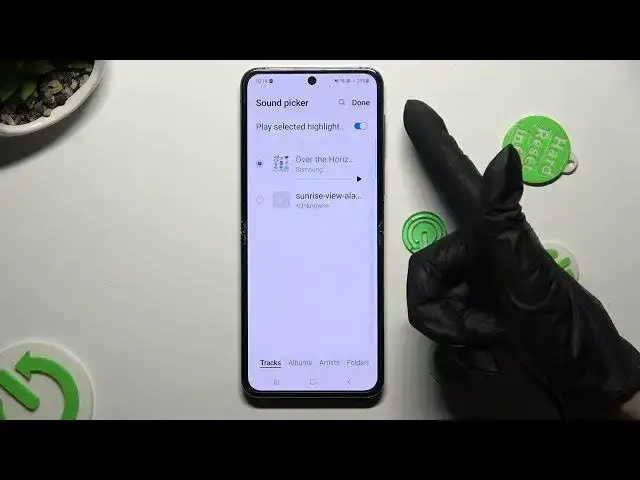
In order to pick music from your smartphone instead of one of those melodies
2:24
click on the plus icon at the top right corner. Click on the song that you wish to apply
2:36
and by clicking on this sweater, decide if you wish to play selected highlights
2:44
or not at all. When you finished, select Done at the top right corner
2:54
Then go back, click on Vibration section, and select the best vibration pattern for your incoming alarms, like heartbeat
3:12
You can also click on Snores, select how many minutes it will take, and how many times it will repeat
3:25
Then finally go back one last time, and save your alarm by hitting on Save at the bottom right corner
3:37
As you can see mine was successfully created. To switch it off completely, click on the sweater next to it
3:48
and turn it back on the same way. Lastly, to delete it, just hold it
3:56
click on Delete at the bottom right corner, and tap on Home button
4:05
Thanks so much for watching! If you enjoyed this video, don't forget to leave a like, comment, and subscribe