0:00
Welcome! In front of me I have Garmin Venue 3 and I'm gonna show you how to set the alarm clock on this watch
0:10
First we need to wake up the screen on our watch and you can do it by pressing any of the buttons
0:16
Once you wake up the screen press and hold the back button to open the menu
0:21
Once the menu opens find the clocks option and tap on it. Here select the alarms
0:27
and right here in the alarms menu we can add a new alarm by tapping on add alarm. Now we can
0:35
set the time on which the alarm should go off and you can swipe up and down on the hours then minutes
0:40
and then am and pm. And once you're done you can tap on the check mark or press the action button
0:48
No I guess we have to press the action button. Okay as you can see the alarm was added but you
0:54
can edit it further by tapping on it. So if you tap on it you have the customized menu and here
0:59
we can change the time again. We can change the repeat option. Basically you can select on which
1:05
days the alarm should repeat. Then we have the sounds, label and delete. First let's tap on
1:11
repeat and here we can select once. If you select this option it will go off only once and it won't
1:16
repeat. Daily will repeat daily. Basically weekdays will the alarm will go off on weekdays. Weekend
1:23
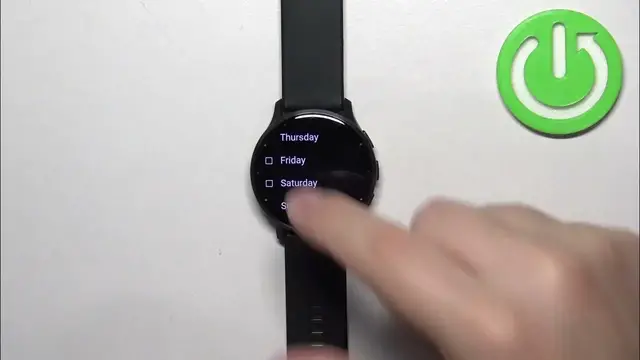
the alarm will go off on weekends and custom allows you to select specific days. So for
1:28
example Wednesday and Saturday and then tap on the check mark. As you can see the alarm will
1:34
repeat on the Wednesdays and the Saturdays. Okay in the sound options we can select if you want the
1:42
tone, vibration or tone and vibration or nothing. Select the option you like. Then we have the label
1:48
You can assign the label for the alarm. For example I don't know appointment and then you can also
1:53
remove the alarm if you want to but I'm gonna show it later. Okay so here we have our alarm. We can
1:59
turn it on or off. We can also have multiple alarms like that and we can also remove the alarms by
2:06
tapping on one, tapping on delete like this. And once you're done setting up your alarms you can
2:14
press the back button a couple of times to go back to watch face and that's how you set the alarm
2:19
clock on this watch. Thank you for watching. If you found this video helpful please consider
2:24
subscribing to our channel and leaving the like on the video