Up next in 10

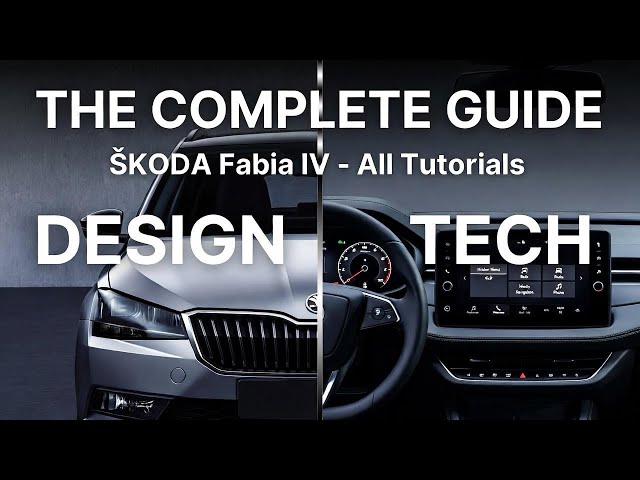
SKODA Fabia IV (2021–Now) – Top Settings, Features & Hidden Menus (All Tutorials)
Jan 6, 2026

If you drive a ŠKODA Fabia IV (2021, 2022, 2023, 2024, 2025 – current model) and want to learn the car faster, this video is packed with real, practical walkthroughs. You’ll see how to use the Fabia infotainment screen, instrument cluster menus, and the main cabin controls to access the most useful functions: trip computer, service info, radio presets and station list, FM/DAB settings, climate control, lights (auto, fog, high beam, dipped beam), plus key safety and comfort options like Front Assist, Lane Assist, tire pressure reset, start-stop, traction control (ESC/TCS), wipers, door locking, units, and time/date. Perfect if you just bought a Fabia, want a quick refresher, or need help finding a setting that feels “hidden” in the menus.
How to reset tire pressure indicator on ŠKODA Fabia IV (2021–now)?
How to turn off Start Stop system on ŠKODA Fabia IV (2021–now)?
How to enable Android Auto or Apple CarPlay on ŠKODA Fabia IV (2021–now)?
0:00 Trip computer and vehicle status (since start, long-term, refuel)
0:42 Change radio station (presets, list, manual tuning)
1:24 Climate control airflow power (fan speed)
2:00 Save radio station to preset
2:35 Airflow direction selector (windshield, face, feet)
3:11 Fog lights on/off from the stalk
3:50 Manage radio presets and delete presets
5:04 USB ports location (phone connection)
5:38 Oil temperature on instrument cluster
6:07 Find VIN number in infotainment service menu
6:41 Sort station list (A–Z or group)
7:13 Start Stop off and on
7:48 Mirror heating on/off
8:25 12V power outlet location
Show More Show Less View Video Transcript
0:00
So in front of me I've got Scodafabia. In this video I'll show you how to enter trip computer on the screen display.
0:12
In the beginning take a look at the screen display and next go to menu and vehicle. Here you can find since start,
0:20
long-term and since refueling, trip info where you can find range, average speed,
0:25
average fuel consumption, traveling time and distance. You can also check vehicle status.
0:36
If you find the video helpful, please like, comment, and subscribe.
0:42
Hello. Today I'm in Scodafabia. In this video, I'll show you how to change radio
0:48
station.
0:54
In the beginning, take a look at the screen display and next go to radio. And here you can change radio station from
1:00
the list of presets.
1:06
You can select from radio station list or you can
1:13
tune manually radio station. If you find this video helpful, please
1:19
leave like, comment and subscribe.
1:24
In front of me, I've got Scodafabia. In this video, I'll show you how to change
1:30
airflow power.
1:37
To change airflow power, take a look in the center of the car. Right here, we've got the climate control panel. Twist
1:43
this knob to adjust airflow power.
1:50
If you find this video helpful, please leave like, comment, and subscribe.
1:58
Hello. Today I'm in Scodafia. In this video, I'll show you how to assign radio station to preset.
2:09
In the beginning, take a look at the screen display. And now go to radio station list and
2:17
select station you would like to assign. Now, press and hold the preset in the
2:23
preset list and it's assigned. If you find this video helpful, please
2:30
leave like, comment, and subscribe.
2:36
Hello. Today I'm in Scotabia. In this video, I'll show you how to change airflow direction.
2:47
To change airflow direction in your car, take a look in the center of it. Right here, we've got this knob.
2:54
Switch it between front windshield, top,
3:00
bottom, and bottom, and front windshield. If you find this video helpful, please leave like, comment, and
3:07
subscribe. Hello. In front of me, I've got
3:13
Scolophobia. In this video, I'll show you how to enable and disable fog lights.
3:23
In the beginning, take a look behind the left side of the steering wheel. Right here, we've got this lever.
3:28
Twist this knob three times to the right side to enable the beam. And now, pull the knob to enable high fog lights. You
3:35
can see that fog lights are enabled. Try this icon right here. To disable it, push the knob inside.
3:43
If you find this video helpful, please leave like, comment, and subscribe.
3:49
[Music] In front of me, I've got Scolopabia. In this video, I'll show you how to manage
3:54
radio presets.
4:01
In the beginning, take a look at the screen display. Enter radio and here go to preset list.
4:09
Here you can find all of your radio presets. You can also assign new radio
4:14
stations to presets or remove radio presets.
4:26
If you find this video helpful, please leave like, comment, and subscribe.
4:32
Hello. In front of me, I've got Scodafabia. In this video, I'll show you
4:37
how to delete radio presets.
4:44
In the beginning, take a look at the screen display. Go to radio and go to settings. Select delete presets. And now
4:52
you can select singular preset or you can delete all.
4:58
If you find this video helpful, please leave like, comment, and subscribe. [Music]
5:05
Hello. In front of me, I've got Scodafabia. In this video, I'll show you where are the USB ports.
5:15
To find USB port in your car, take a look in the center of it. USB ports are located under the climate control panel.
5:24
Thanks to the USB port, you can connect your smartphone or any other external device.
5:31
If you find this video helpful, please like, comment, and subscribe. [Music]
5:38
In front of me, I've got Scola Fabian. In this video, I'll show you how to check oil temperature.
5:47
to check oil temperature. Take a look at the instrument cluster and navigate through via trip buttons. Press them
5:53
until you see oil temperature. Oil temperature will be available here after a few miles of driving.
6:00
If you find this video helpful, please leave like, comment, and subscribe. [Music]
6:07
Hello. In front of me, I've got Scholapabia. In this video, I'll show you how to check V number on the screen
6:12
display. [Applause]
6:18
To check VIN number of your car via screen, take a look at the screen display and go to menu on vehicle. Enter
6:24
settings and scroll down. Enter service and here you can find VIN number.
6:32
If you find this video helpful, please like, comment, and subscribe.
6:38
Hello. In front of me, I've got Scoda Fabia. In this video, I'll show you how to sort station list.
6:51
In the beginning, take a look at the screen display and next go to radio and settings. Enter
6:58
advanced settings and find sort station list. Select alphabetically or by group.
7:06
If you find this video helpful, please leave like, comment, and subscribe.
7:13
Hello. Today I'm in Scodafabia. In this video, I'll show you how to turn start
7:19
stop system off.
7:26
[Music] To turn start stop system off, take a look in the center of the car. Right here, we've got this panel. Press off
7:33
button to deactivate startup system. Press the button again to activate it
7:38
back. If you find this video helpful, please leave like, comment, and subscribe.
7:46
[Music] Hello. In front of me, I've got Scodafabia. In this video, I'll show you
7:53
how to enable side rearview mirror seating.
8:01
In the beginning, take a look behind left side of the steering wheel on the driver's door. You got this panel. To
8:06
enable side rearview mirror seating, twist this knob to bottom position. Side rearview mirror seating is now enabled.
8:13
To disable it, set it to zero position. If you find this video helpful, please
8:18
leave like, comment, and subscribe. Hello. In front of me, I've gotabia. In
8:25
this video, I'll show you where is the power outlet.
8:33
To find power outlet in your car, take a look in the center of it. Power outlet is located right here. Thanks to the
8:41
power outlet, you can connect charger or dash cam to your car.
8:47
If you find the video helpful, please leave like, comment, and subscribe. [Music]
8:54
Hello. In front of me, I've got Scoda Fabia. In this video, I'll show you how to check range.
9:04
To check range of your car, take a look at the instrument cluster and navigate through it via three buttons. Press them
9:11
until you see range.
9:16
If you find this video helpful, please leave like, comment, and subscribe. [Music]
9:23
In front of me, I've got Scodafabia. In this video, I'll show you how to find energy consumers.
9:34
To check your energy consumers, take a look at the instrument cluster and navigate through it via three buttons.
9:39
Press the three button until you see this menu. And here you can find energy consumers.
9:46
For example, let me turn on climate control. And here we can find
9:52
air conditioning.
9:57
If you find this video helpful, please leave like, comment, and subscribe.
10:04
Hello. Today I mean Scolapabia. In this video, I'll show you how to manually tune the radio.
10:14
In the beginning, take a look at the screen display and go to radio and manual. You can tune radio manually via
10:21
this knob or via swiping through the
10:27
slider. If you find this video helpful, please like, comment, and subscribe.
10:35
Hello. Today I'm in Scodafabia. In this video, I'll show you how to change steering wheel position.
10:42
[Applause] To change steering wheel position your car, take a look under the steering wheel. Right here, we've got this lever.
10:49
Push it to unlock the steering wheel. Now, you can change steering wheel height and distance. In the end, pull
10:56
the lever upwards to lock the steering wheel. If you find this video helpful,
11:01
please like, comment, and subscribe. Now, in front of me, I've got
11:08
Scodafabia. In this video, I'll show you how to turn radio on and off and how to change radio volume.
11:20
In the beginning, take a look in the center of the car. Right here, we've got radio panel. Turn this button. Press the
11:26
knob here to turn radio on or off. To change radio volume, twist this knob.
11:35
If you find this video helpful, please leave like, comment, and subscribe. [Music]
11:41
Hello. Today, I mean Scodafabia. In this video, I'll show you how to turn climate
11:48
control off.
11:54
To turn climate control off, take a look at the center of the car. Right here, we've got the climate control panel.
12:00
Twist this knob once to the left side to zero position and the climate control is turned off. To turn it on back, select
12:07
level one. If you find this video helpful, please leave like, comment, and subscribe.
12:13
[Music] Hello. In front of me, I've got Scodafabia. In this video, I'll show you
12:19
how to scan for FM radio stations.
12:27
In the beginning, take a look at the screen display and next go to radio and settings. Select scan. And now your
12:35
radio is scanning for radio stations. If you find video helpful, please leave
12:42
like, comment and subscribe. Hello, today I mean Scodafabia. In this
12:49
video, I'll show you how to change radio source.
12:55
[Applause] In the beginning, take a look at the screen display and go to radio and
13:01
media. Select source. And here you can select FM, DAB, USB 1, USB 2 or
13:07
Bluetooth audio. If you find this video helpful, receive like, comment, and subscribe.
13:15
[Music] Today I'm in Scoda Fabia. In this video, show you how to find autoometer.
13:26
To check autometer on your car, take a look at the instrument cluster. Autometer is always located in the
13:32
bottom left corner right here. Autometer is total mileage of your car.
13:38
If you find this video helpful, please like, comment, and subscribe.
13:45
Hello. In front of me, I've got Scoda Fabia. In this video, I'll show you how
13:50
to change screen saver.
13:57
In the beginning, take a look at the screen display. And now turn off the screen.
14:04
On the screen saver, we've got analog and digital analog uh clock and date. To
14:11
change it, simply swipe.
14:17
If you find this video helpful, please like, comment, and subscribe.
14:23
[Music] In front of me, I've got Piscoda Fabia. In this video, I show you how to make
14:29
emergency hole. [Music]
14:35
In case of emergency like crash or bad feeling, take a look at the screen
14:42
display and next go to telephone. You can perform SOS emergency call by
14:48
pressing this button. Also, the button is located here. Make sure to
14:55
use it only in case of emergency. If you find this video helpful, please
15:00
see like, comment, and subscribe. [Music] Hello. In front of me, I've got it's
15:08
called a Fabia. In this video, I'll show you how to find start subsystem status.
15:18
In the beginning, take a look at the screen display. And next, go to vehicle.
15:25
Enter info. And here is the start stop subsystem.
15:30
If you find this video helpful, please like, comment, and subscribe.
15:36
Hello. Today I'm Scodafabia. In this video, I'll show you how to adjust side mirrors position.
15:46
[Music] In the beginning, take a look at the driver's doors. Right here, we've got this panel. To adjust side mirror's
15:52
position, twist this knob between left and right side to select side mirror and
15:57
then push the knob to adjust position. The best position is when the door
16:02
handle is in the bottom right corner like this. If you find this video
16:08
helpful, please like, comment, and subscribe.
16:13
Hello. In front of me, I've got Scodafabia. In this video, I'll show you how to reset system settings to factory
16:20
defaults.
16:26
In the beginning, take a look at the screen display and go to menu and vehicle. Enter settings and scroll down.
16:32
Go to factory settings. And here you can reset all settings or individual parking and manual wearing, light, wipers, and
16:39
opening and closing. If you find this video helpful, please leave like, comment, and subscribe.
16:45
[Music] Hello. Today I'm in Scodafabia. In this
16:51
video, I'll show you how to reset tire pressure indicator.
17:00
In the beginning, take a look at the screen display.
17:06
And now go to vehicle. Enter selection and vehicle status.
17:11
Scroll right to see tire pressure indicator. Press set and confirm to reset it. Before,
17:19
make sure that the tire pressure is correct for each tire. If you find the video helpful, please leave like,
17:25
comment, and subscribe. [Music] Hello. In front of me, I've got Scott
17:32
Fabia. In this video, I'll show you how to enable automatic summertime.
17:40
In the beginning, take a look at the screen display and go to menu vehicle and settings. Find time and date
17:48
and tap automatic summertime to enable or disable it. If you find this video helpful, please
17:54
leave like, comment, and subscribe. Hello. Today I'm in Scodafabia. In this
18:01
video, I'll show you how to change airflow temperature.
18:11
To adjust airflow temperature of your car, take a look in the center of it. Right here, we've got this panel.
18:17
Twist this knob left or left to decrease temperature and right to increase temperature. This car has single zone
18:25
climate control. If you find this video helpful, please leave like, comment, and subscribe.
18:34
Hello. In front of me, I've got Scodafabia. In this video, I'll show you
18:39
how to use front wipers.
18:47
To activate front wipers, take a look behind right side of the steering wheel. Right here, we've got this lever. Push
18:53
the lever downwards to use front wipers once. Push it upwards to use them in
18:58
interval mode that you can also adjust by twisting this part of the lever. Push it again upwards to use it in low mode
19:04
and again to use it in high mode to disable it. Set it to off position. If
19:09
you find this video helpful, please leave like, comment, and subscribe. [Music]
19:16
Hello. In front of me, I've got Spafabia. In this video, I'll show you how to lock and unlock all the doors.
19:28
In the beginning, take a look in the center of the car. Right here, we've got this panel. To lock all the doors, press
19:34
lock the button. This will lock or unlock all the doors. If you find the
19:40
video helpful, please leave like, comment, and subscribe.
19:46
Hello. In front of me, I've got Scotabia. In this video, I'll show you how to manage units.
19:56
[Music] To change units, take a look at the screen display. Go to menu and vehicle.
20:02
Enter settings and scroll all the way down. Go to units and adjust it on this menu.
20:09
You can change distance, speed, temperature, volume, fuel consumption, and pressure units. If
20:15
you find this video helpful, please like, comment, and subscribe.
20:22
Hello. Today I'm in Scodafabia. In this video, I'll show you how to change radio band.
20:32
In the beginning, take a look at the screen display and go to radio. Go to band and select FM, PAB, USB 1 2 or
20:41
Bluetooth audio. If you find this video helpful, please leave like, comment, and
20:48
subscribe. Hello. In front of me, I've got Scoda
20:56
Fabia. In this video, I'll show you. How to use front sprinklers.
21:07
To activate front sprinklers, take a look behind right side of the steering wheel. Right here, we've got this lever.
21:14
Pull the lever and hold to use front speakers. Let the lever go to disable this
21:20
function. If you find this video helpful, please like, comment, and subscribe.
21:25
[Music] That is Kodafabia. In this video, I'll show you how to manage instrument
21:32
cluster contents.
21:38
In the beginning, take a look at the screen display and go to menu and vehicle. Enter settings and scroll down.
21:45
Enter instrument cluster. And here you can select current consumption, average consumption and more. Simply tap on the
21:51
function to enable it on the instrument cluster. If you find this video helpful, please
21:57
like, comment, and subscribe. Hello. In front of me, I've got
22:03
Scodafabia. In this video, I'll show you how to enable disable high beam.
22:12
In the beginning, take a look behind the left side of the steering wheel. And firstly, enable deep beam.
22:17
Now push this lever forward to enable high beam constantly. Pull it to disable it and pull like this to blink high
22:24
beam. If you find this video helpful, please like, comment, and subscribe.
22:32
Hello, today I'm in Scodafabia. In this video, I'll show you how to enable auto
22:37
store station logos.
22:45
In the beginning, take a look at the screen display and next go to settings
22:52
on the radio and advanced settings. Tap auto store station logos
22:57
and then you can enable select radio station for logo.
23:04
If you find this video helpful, please leave like, comment and subscribe. [Music]
23:10
Hello. In front of me, I've got Scodafa Fabia. In this video, I'll show you how
23:15
to manage
23:22
switching stations mode. In the beginning, take a look at the screen display and next go to settings
23:30
and switching stations. Select stations or preset. Thanks to this function, you can change radio stations from station
23:37
list or preset list. If you find this video helpful, please like, comment, and
23:43
subscribe. [Music] In front of me, I've got Scod
23:48
Alphalabia. In this video, I'll show you how to enable and disable position lights.
23:57
In the beginning, take a look behind left side of the steering wheel. Right here we've got this panel. To enable position lights, twist this knob twice
24:04
to right side. Position lights are now enabled. To disable it, set it to zero position. Thanks to this panel, you can
24:10
also enable auto lights, deep beam, and fog lights. If you find this video helpful, please
24:17
leave like, comment, and subscribe. [Music] Hello. In front of me, I've got
24:23
Scolapabia. In this video, I'll show you how to enable automatic frequency control.
24:33
In the beginning, take a look at the screen display. And next, go to settings on the radio and advanced settings. Tap
24:40
this button to enable or disable automatic frequency control.
24:46
If you find this video helpful, please like, comment, and subscribe. [Music]
24:53
Hello. In front of me, I've got Scoda Fabia. In this video, I'll show you how to change door unlock mode.
25:04
In the beginning, take a look at the screen display. And now go to menu and vehicle. Enter settings and opening and
25:11
closing. Enter central locking and go to door unlock and select all doors, single door and vehicle side.
25:19
If you find this video helpful, please like, comment and subscribe.
25:26
Hello. Today I'm in Scodafabia. In this video, I'll show you how to adjust time
25:32
on the dashboard.
25:39
To adjust time on this instrument cluster, take a look at it. And now, press and hold 00 set button.
25:48
Press it again to change time.
25:54
And to change minutes, wait. It will skip. And now you can change
26:00
minutes.
26:09
To confirm, simply let the button go.
26:18
If you find this video helpful, please like, comment, and subscribe.
26:26
Hello, today I'm in Scodafabia. In this video, I'll show you how to enable disabled driver alert system.
26:37
In the beginning, take a look at the screen display and next go to menu and driver assist. Tap this button and tap
26:45
active to enable or disable driver alert system. If you find this video helpful, please
26:52
like, comment, and subscribe. [Music] In front of me, I've got Scodafabia. In
26:59
this video, I'll show you how to put on reverse gear.
27:05
[Music] To put on reverse gear, take a look in
27:10
the center of the car. Press brake and clutch. Now press the gearbox shifter
27:17
inside left and forward. Reverse gear is on.
27:24
Pull the shifter to put on neutral. If you find this video helpful, please
27:29
like, comment, and subscribe. Hello. In front of me, I've got
27:37
Scolophobia. In this video, I'll show you how to use rear wiper.
27:46
To activate rear wiper, take a look behind the right side of the steering wheel. Right here, we've got this lever.
27:53
Push the lever slightly forward. To activate rear wiper to disable it, pull
27:59
the lever. If you find this video helpful, please
28:06
like, comment, and subscribe. Hello. Today I'm in Scodafabia. In this
28:13
video, I'll show you how to find current fuel consumption.
28:22
In the beginning, take a look at the instrument cluster and navigate through the via trip buttons. Press them until
28:28
you see trip consumption. Trip consumption is located right here and can be found in liters for 100 hour.
28:36
Units can be changed via screen display. If you find the video helpful, please
28:42
like, comment, and subscribe.
28:47
Hello. In front of me, I've got Scoda Fabia. In this video, I'll show you how
28:53
to perform breakdown emergency call.
29:02
In case of the car breakdown, you can directly call for help like assistance
29:09
via car system. Take a look at the screen display and go to telephone and
29:14
tap breakdown. The car will call automatically.
29:21
The button is also located right here. If you find this video helpful, please
29:27
leave like, comment, and subscribe. [Music] Hello, today I'm in Scodafabia. In this
29:35
video, I'll show you how to manage instrument cluster contents.
29:44
To navigate through instrument cluster, take a look behind right side of the steering wheel. Right here, we've got this switch.
29:51
Press strip up button and strip down button to change menu. Here we can find
30:00
digital speedometer, speed warning, oil temperature,
30:07
current consumption, average consumption, range,
30:13
air conditioning and
30:20
energy consumers. driving time, distance covered, average
30:26
speed. You can press and hold okay button to reset data. If you find this
30:32
video helpful, please like, comment, and subscribe.
30:38
Hello. In front of me, I've got Scodafabia. In this video, I'll show you how to
30:43
reset trip info via screen display.
30:51
In the beginning, take a look at the screen display. Go to menu and vehicle.
30:57
Enter settings and go to instrument cluster. Scroll down and here we've got
31:02
resets in start and long-term driving data. Tap it to reset it.
31:07
If you find this video helpful, please leave like, comment, and subscribe. [Music]
31:13
Hello. Today I'm in Scodafabia. In this video, I'll show you how to check radio info.
31:26
In the beginning, take a look at the screen display. And next, go to radio and station.
31:34
Here you can check radio text and radio info about current news. If you find the
31:40
video helpful, please like, comment, and subscribe.
31:46
Hello. In front of me, I've got Scoda Fabia. In this video, I'll show you how to check service input.
31:58
In the beginning, take a look at the instrument cluster. And now, press and hold 00 set.
32:04
Keep holding it until you see service. Release button. And here you can find
32:10
oil change service and X inspection.
32:16
If you find this video helpful, please leave like, comment, and subscribe.
32:23
Hello. In front of me, I've got
32:28
Scolophobia. In this video, I'll show you how to find digital speedometer.
32:38
To find digital speedometer, take a look behind right side of the steering wheel. Right here, we've got this lever.
32:44
Press trip button and digital speedometer will be available right here.
32:51
If you find the video helpful, please like, comment, and subscribe.
32:59
Hello. In front of me, I've got Spopabia. In this video, I'll show you how to enable distance warning for front
33:05
assistant.
33:10
In the beginning, take a look at the screen display. And next, go to menu and driver assistant. Select from the
33:16
assistant and tap this button to enable or disable this function. If you find this video helpful, please
33:22
like, comment, and subscribe. So, in front of me, I've got Scodafabia.
33:29
In this video, I will check if this car has Android Auto or Apple CarPlay.
33:40
In order to check it, take a look at the screen display. Enter menu. And as you can see, the car
33:46
has smart link function that should support Android Auto or Apple CarPlay.
33:52
Unfortunately, this function is not available on every trim. So, make sure you buy the one with the Android Auto or
34:00
Apple CarPlay installed. If you find this video helpful, please like, comment, and subscribe.
34:09
Hello. Today I'm in Scodafabia. In this video, I'll show you how to enable and enable AC.
34:20
In the beginning, take a look in the center of the car. Right here, we've got this panel. To enable AC, simply press
34:26
this button. Disable it. Press the button again. To use AC, make sure that the climate
34:33
control is set on at least level one and the temperature is lower. If you find
34:39
the video helpful, please like, comment, and subscribe.
34:45
Hello, today I'm in Scodafabia. In this video, I'll show you how to enable auto lights.
34:54
To enable auto lights, take a look behind left side of the steering wheel. Right here, we've got this panel. Twist
35:00
this knob once to the right side and the auto lights are are now enabled. To disable it, set it to zero position.
35:05
Thanks to SP, you can also position lights, deep beam, and fog lights.
35:11
If you find the video helpful, please like, comment, and subscribe.
35:17
Hello. In front of me, I've gotabia. In this video, I'll show you how to enable and disable front assist.
35:29
In the beginning, take a look at the screen display and go to menu and driver assistant. Select front assist and tap
35:36
active to enable or disable this function. If you find this video helpful, please leave like, comment, and
35:42
subscribe. [Music] Hello. In front of me, I've gotabia. In
35:48
this video, I'll show you how to enable and disable deep beam.
35:56
In the beginning, take a look behind left side of the steering wheel. Right here, we've got this panel. To enable
36:01
deep beam, twist this knob three times to the right side. Deep beam is now enabled. To disable it, set it to zero
36:08
position. Thanks to this panel, you can also enable auto lights, position lights, and high beam.
36:15
If you find the video helpful, please like, comment, and subscribe.
36:21
Hello. Today I made Fabia. In this video, I'll show you how to enable lane
36:26
assistant vibrations.
36:33
In the beginning, take a look at the screen display. And now go to menu and driver assistant. Tap lane assistant and
36:39
tap here to enable or disable lane assistant vibrations.
36:45
If you find this video helpful, please like, comment, and subscribe.
36:51
Hello. In front of me, I've got Squadabia. In this video, I'll show you how to enable and disable lane
36:56
assistant.
37:02
In the beginning, take a look at the screen display. And next, go to menu and settings. Now, sorry, go to menu and
37:09
driver assistant. Tap lane assistant and tap active to enable or disable lane assistant.
37:16
If you find this video helpful, please like, comment, and subscribe. [Music]
37:23
Hello. In front of me, I've got Scodafabia. In this video, I'll show you how to enable front windshield blowing.
37:34
In the beginning, take a look in the center of the car. Right here, we've got this knob to enable from which you're
37:40
going. Set the knob to top position. If you find this video helpful, please
37:45
leave like, comment, and subscribe.
37:50
Hello. Today I'm in Scoda Fabia. In this video, I'll show you how to set speed
37:56
warning.
38:02
To set speed warning, take a look at the instrument cluster and navigate through via three buttons here. Press them until
38:09
you see warning. And now three, press okay. Reset button.
38:16
Now you can change speed warning speed and press okay button to confirm. To
38:22
reset it, press okay button again. If you find this video helpful, please
38:28
like, comment, and subscribe. Hello. Today I'm in Scodafabia. In this
38:34
video, I'll show you how to enable maneuver braking.
38:42
To enable automatic maneuver braking, take a look at the screen display and go to vehicle. Go to settings and now go to
38:49
parking and maneuvering. Tap this button to enable or disable this function.
38:56
If you find this video helpful, please leave like, comment, and subscribe. [Music]
39:02
Hello. Today I'm in Scoda Fabia. In this video, I'll show you how to enable
39:08
interior airflow circulation.
39:16
To enable interior airflow circulation, take a look in the center of the car. Right here, we've got this panel. Press
39:22
this button and airflow circulation is enabled. The the car must be turned on
39:28
to use this function.
39:34
If you find this video helpful, please leave like, comment, and subscribe.
39:42
Hello. In front of me, I've got Scodafabia. In this video, I'll show you how to enable rear windshield heating.
39:54
To enable rear windshield heating, take a look in the center of the car. Right
40:00
here, we've got this panel. Press this button to enable rear windshield heating.
40:06
Press the button again to disable it. If you find this video helpful, please
40:11
like, comment, and subscribe.
40:17
Hello. In front of me, I've got Scodafabia. In this video, I'll show you how to enable speed limiter.
40:28
In the beginning, take a look behind left side of the steering wheel. Right here we've got this lever
40:34
to enable speed limiter. Switch this part of the lever to on
40:41
position. Now speed limiter is set. Press set minus button to start it.
40:47
Press press plus button to increase speed limit and set minus to decrease speed limit. To disable speed limiter,
40:54
set it to off position. If you find this video helpful, please leave like, comment, and subscribe.
41:03
Hello. In front of me, I've got Scodafabia. In this video, I'll show you how to enable convenience turn signal.
41:10
[Music] In the beginning, take a look at the
41:16
screen display. And next, go to menu, vehicle, and settings. Enter park. Enter
41:22
lights and tap this button to enable or disable this function. Convenience turn signals
41:30
work like this. If you slightly press the turn signals lever,
41:36
they will only blink three times. If you find this video helpful, please like,
41:42
comment, comment, and subscribe. Hello. In front of me, I've got
41:49
Scodafabia. In this video, I'll show you how to disable traction control.
42:00
In the beginning, take a look at the screen display. Go to menu and vehicle. Enter settings
42:07
and go to ESC system. Select between activated or TCS off.
42:13
If you find this video helpful, please leave like, comment, and subscribe.
42:21
Hello, today I isabia. In this video, I'll show you how to enable and disable radio text.
42:32
To enable radio text, take a look at the screen display and next go to settings
42:37
in radio and tap radio text. If you find the video helpful, please
42:43
leave like, comment, and subscribe. [Music] Hello. In front of me, I've got
42:49
Scolapabia. In this video, I'll show you how to enable rear window wiping in reverse gear.
42:58
In the beginning, take a look at the screen display. And now go to menu and vehicle. Enter settings and wipers.
43:05
Press this button to enable or disable this function. If you find this video helpful, please like, comment, and
43:11
subscribe. Hello. Today I'm in Scodafabia. In this
43:17
video, I'll show you how to use rear sprinklers.
43:25
To activate rear sprinklers, take a look behind right side of the steering wheel. Right here, we've got this lever. Push
43:31
the lever forward and hold.
43:36
Let the lever go to disable this function. If you find the video helpful, please
43:41
hit like, comment, and subscribe. [Music] Hello. In front of me, I've got
43:48
Scolophabia. In this video, I'll show you how to enter manage equalizer. [Applause]
43:58
In the beginning, take a look at the screen display. Enter menu and vehicle, sorry, and sound. Go to equiser and
44:07
adjust a bit to adjust treble, mid, and bus on these sliders.
44:13
If you find this video helpful, please like, comment, and subscribe.
44:20
Hello. In front of me, I've got Scodafabia. In this video, I'll show you how to find and reset average fuel
44:25
consumption.
44:31
In the beginning, take a look at the instrument cluster and navigate through it via this panel. Press three button
44:37
until you see a virtual concentrate. Now press okay button to switch between
44:42
since refuel since start and longterm again. Press and hold okay button to
44:48
reset it. If you find the video helpful, please leave like, comment, and subscribe.
44:56
Hello. In front of me, I've got Scoda Fabia. In this video, I'll show you how to enable disabled traffic program.
45:09
In the beginning, take a look at the screen display. And next, go to radio and settings. Tap on traffic program to
45:17
enable or disable this function. If you find this video helpful, please
45:23
like, comment, and subscribe. Hello. In front of me, I've got Scoda
45:30
Pabia. In this video, I'll show you how to enable and disable traffic program.
45:41
In the beginning, take a look at the screen display.
45:47
Now go to media and settings. Tap TP to enable or
45:54
disable this function. If you find this video helpful, please leave like, comment, and subscribe.
46:01
[Music] Hello. In front of me, I've got Scodafabia. In this video, I'll show you
46:07
how to find the set average speed. [Applause]
46:15
In the beginning, take a look at the instrument cluster and then upgrade food via three buttons. Press the three
46:20
buttons until you see average speed. Press okay button to switch between
46:25
long-term, short-term, and since refuel. To reset it, press and hold okay button. Since refuel can be reset. If you find
46:34
this video helpful, please leave like, comment, and subscribe.
46:39
Hello. In front of me, I've got Scodafia. In this video, I'll show you
46:44
how to enable winter tires speed warning.
46:52
In the beginning, take a look at the screen display and go to menu and vehicle settings, tires, and speed
46:59
warning. Now adjust the speed warning on this slider.
47:13
If you find this video helpful, please like, comment, and subscribe. [Music]
47:19
Hello. In front of me, I've got Scodafabia. In this video, I'll show you how to find and reset driving time.
47:32
In the beginning, take a look at the instrument cluster and navigate through it via trip buttons. Press those until
47:37
you see driving time. Press okay button to switch between
47:43
since start, longterm, and since refuel and press and hold to reset it.
47:56
If you find this video helpful, please leave like, comment, and subscribe. [Music]
48:03
Hello, today I'm in Scotabia. In this video, I'll show you how to find and reset trip info.
48:14
To reset trip info, take a look at the instrument cluster and press trip buttons.
48:22
Trip info is located right here. To reset it, press 00 set button. If you
48:28
find this video helpful, please like, comment, and subscribe. [Music]
48:34
Hello. In front of me, I've got Scodafabia. In this video, I'll show you how to enable
48:40
window global opening.
48:47
Thanks to window global opening, we can open the windows via keyhub. Take a look
48:53
at the screen display and go to menu and vehicle. Enter settings and opening and
48:59
closing. Go to convenience opening and switch between all driver and off.
49:06
If you find this video helpful, please like, comment, and subscribe. [Music]
49:12
Hello. Today I'm in Scodafabia. In this video, I'll show you how to adjust coming home lights.
49:23
In the beginning, take a look at the screen display. Go to menu and vehicle settings and light. Scroll down and find
49:32
coming home function. Adjust it between 30 seconds and off.
49:37
If you find this video helpful, please like, comment, and subscribe.
49:42
[Music] In front of me, I've got Scoda Fabia. In this video, I'll show you how to
49:50
adjust front assistant sensitivity.
49:59
In the beginning, take a look at the screen display and next go to menu and driver assistant.
50:04
Tap front assist and select advanced warning between early, medium, late or off.
50:11
If you find this video helpful, please leave like, comment, and subscribe. [Music]
50:17
Hello. In front of me, I've got Scodafabia. In this video, I'll show you how to manage RDS regal function.
50:29
In the beginning, take a look at the screen display. Go to radio and settings.
50:35
Enter advanced and find RDS regional. Select between automatic or fixed.
50:41
If you find the video helpful, please like, comment, and subscribe. [Music]
50:47
Hello. In front of me, I've got Scodafabia. In this video, I'll show you how to adjust living home lights.
50:58
In the beginning, take a look at the screen display and go to menu and vehicle settings and lights. Scroll down
51:06
and find living home lights. Adjust it between 30 seconds and off.
51:14
If you find this video helpful, please like, comment, and subscribe.
51:19
Hello. In front of me, I've got Scodafobia. In this video, I'll show you how to find full list of radio stations.
51:31
To find full list of all of your radio stations, take a look at the screen display and go to radio. Enter station
51:37
list. And here is the DAB station list and FM station list.
51:46
If you find this video helpful, please like, comment, and subscribe. [Music]
51:52
Hello. In front of me, I've got Spa Fabia. In this video, I'll show you how to find and reset distance covered.
52:06
To find and reset current trip info, take a look at the instrument cluster and navigate through it via trip button.
52:15
Distance covered is located right here. If you press okay button, you can switch between long-term, short-term, and since
52:21
refuel to reset it, press and hold okay button. Since refuel can be reset via
52:26
this menu. If you find this video helpful, please leave like, comment, and subscribe.
52:34
Hello. In front of me, I've got Scodafabia. In this video, I'll show you how to adjust parking eight volume.
52:46
In the beginning, take a look at the screen display and go to menu and vehicle. Enter settings and find lights.
52:52
Scroll down and find, sorry, not lights, but parking and maneuvering. Go to parking gate and
52:59
adjust rear volume, tone settings, and entertainment.
53:06
[Music]
53:14
If you find this video helpful, please like, comment, and subscribe. [Music]
53:21
Hello. In front of me, I've got Scoda Fabia. In this video, I'll show you how
53:26
to enter and manage driver assistance. Many
53:31
[Applause] In the beginning, take a look at the
53:38
screen display. And next, go to menu and driver assistance.
53:43
Here you can manage all assistance systems like road assist,
53:48
lane assist, driver alert system.
53:54
If you find this video helpful, please like, comment, and subscribe.
54:00
Hello. Today I mean Scodafabia. In this video I'll show you how to manage radio
54:06
stations logos [Applause]
54:12
in the beginning. Take a look at the screen display. And now go to radio. Let me assign some
54:21
other radio stations so you can see it better.
54:30
And now let's go to settings and station logos. Here you can remove the station
54:36
logo if it's disturbing for you.
54:45
If you find this video helpful, please leave like, comment, and subscribe. [Music]
54:53
Hello. Today I'm in Scodafabia. In this video, I'll show you how to manage time and date settings.
55:03
In the beginning, take a look at the screen display. And next, go to menu, vehicle, and settings. Go to time and
55:11
date. And here you can adjust time manually. You can change time format, enable
55:16
automatic, summertime, change date, and date format.
55:23
If you find this video helpful, please like, comment, and subscribe. [Music]
55:30
Hello. In front of me, I've got Scoda Fabia. In this video, I'll show you how to change headlamps position.
55:42
In the beginning, take a look behind left side of the steering wheel. Right here, we've got this panel. Twist
55:48
this knob to adjust headlamps position between level zero and three where zero
55:53
is the highest headlamps position. If you find this video helpful, please
55:59
like, comment, and subscribe. [Music] Hello. In front of me, I've got
56:05
Scodafabia. In this video, I'll show you how to adjust instrument cluster panel lighting.
56:13
[Applause] In the beginning, take a look at the
56:20
screen display and go to menu and vehicle. Enter settings light and adjust
56:25
it on this slider.
56:33
If you found this video helpful, please like, comment, and subscribe. [Music]
#Autos & Vehicles
#Motor Vehicles (By Type)
#Skoda