0:00
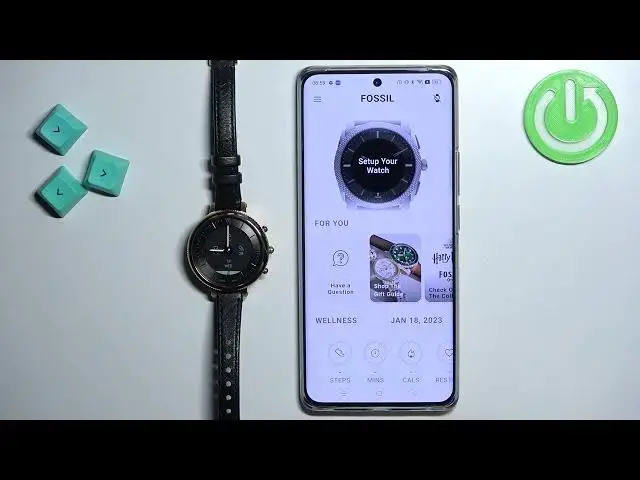
Welcome! In front of me I have Fossil Hybrid HR Minro and I'm gonna show you
0:05
how to pair this watch with the Android phone. First you will need to turn on the watch. You can turn it on by pressing and
0:17
holding the middle button for couple of seconds or by plugging the watch into a
0:21
charger. After the watch turns on you will need to download and install Fossil
0:27
Smartwatches application on your phone that you want to pair the watch with
0:31
So make sure you have the internet connection and Bluetooth enabled on the
0:36
phone and once you do open the Google Play Store. In the Play Store tap on
0:41
search. Type in Fossil Smartwatch or Fossil Smartwatches. Tap on search and you should see this application on the list Fossil Smartwatches
1:01
Tap on it and then you can tap on the install button to download and
1:06
install it. So let's install the application and after the application is
1:14
done installing you can tap on the open button to open it. After you open the
1:23
application you will need to log in into a Fossil account. If you don't have an account you can tap on get started right here to create a new one. I already have
1:31
an account so I'm gonna tap on login. Tap here, enter the email address and then
1:38
tap right here and enter the password. So give me a second
1:48
Like this and then we can tap on login to log in. Okay here the app wants me to
1:59
enable some features like allow it to send the notifications. I'm gonna just go
2:08
back and skip this and here it wants to allow me to turn off or rather wants me
2:14
to turn off the battery optimizations for this app so it can work in the
2:17
background. You can do it if you want to. You can tap on enable, go to settings and
2:21
do it. I'm just gonna go back to skip this and once you open or rather get
2:28
through this you should see the home page of the application and it looks like this and now we can tap on this big set up your watch button right here. Tap
2:38
on add new watch and here and then select the hybrid watch from the list
2:47
Now tap on continue and once... Nevermind, before we continue we need to enable permissions as you can see. So tap
3:00
on enable, tap on allow, then tap on enable settings and allow the permission
3:11
for the location. And once you're done with the permissions you will see this
3:15
screen and now we can press and hold the middle button for a second or two
3:20
like this. The app should detect our watch. Once it does tap on this is my
3:27
watch. Now press the middle button to confirm the pairing like this. Tap on
3:38
pair. Now we can swipe left on the screen to go through the information
3:46
like this and then we can tap on finish. Again the app wants us to turn off the
3:52
battery optimizations. It's quite persistent about it. I'm just gonna go back and at this point you should see your hybrid HR right here on the main
4:04
page instead of this big add watch button. And you can also scroll through the list
4:10
of for you options and you have my preferences and here you have some
4:15
settings for your watch and if you want to see the device page for your watch
4:18
you can always tap on this watch icon in the top right corner to open the
4:24
device page and you have some information about your watch like the
4:27
battery level, connection, when it was last synced, the firmware version, serial number and stuff like that. Okay and that's how you pair this watch with
4:37
the Android phone. Thank you for watching. If you found this video helpful please
4:42
consider subscribing to our Channel and leaving the like on the video