
0:00
Hi everyone! In front of me I've got realme C17 and let me share with you how to enable the
0:05
developer options on this device. So let's start with opening the settings and here we have to
0:13
scroll down to the very bottom to find about phone. Now we have to localize a special number which is
0:20
called build number and I believe it will be right here in the version so let's tap on it
0:24
and as you can see we've got the build number. So all we have to do right now is to keep tapping
0:29
on it until we will see that we are in the developer mode. Now let's go back to the
0:34
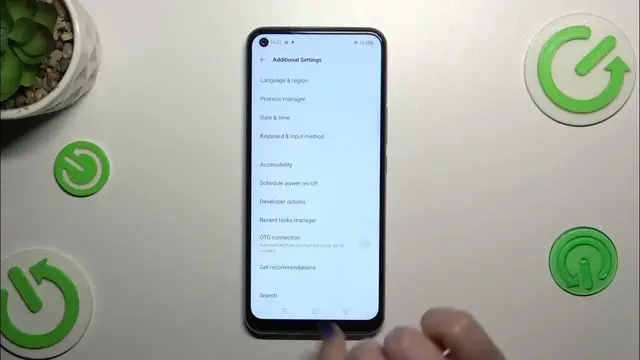
general settings and enter additional settings. Let's scroll down and the developer options are
0:42
right here so in the second section. So let's tap on it simply. That was a mistake. And right here
0:49
we've got plenty of advanced settings which we can customize so for example we can manage the strict
0:54
mode, we can manage the display cutout also, window animation scale, we've got the visual
1:01
feedback for tabs. Here we've got some options which are connected with the bluetooth, usb, wi-fi
1:07
so the network overall. So as I said a lot of options to customize and basically
1:15
everything works the same just like in the regular settings. So if you've got the option
1:19
simply tap on the switcher to turn it on and turn it off of course and if you've got the options
1:25
without the switcher just tap on them to open more options to choose from. If you're done with
1:31
customization of developer options simply go to the very top of the list and tap on the switcher
1:36
to turn them off and as you can see they will disappear and the same situation from in the
1:41
additional settings. So in the second section we cannot see the developer options but of course
1:47
no worries you can customize them again just go back to the build number step and keep tapping
1:52
All right so that will be all. Thank you so much for watching. I hope that this video
1:56
was helpful and if it was please hit the subscribe button and leave the thumbs up
