0:00
Welcome! In front of me I have Apple Watch SE 2nd generation and I'm gonna
0:05
show you how to measure the heart rate on this device. Before we start if you want to get the most accurate results of your measurements make sure to put your watch on your wrist
0:19
secure it tightly so it doesn't move around so use the watch strap to secure
0:24
it and while you're measuring your heart rate try not to move too much
0:29
I'm just gonna put my finger on the sensor right here on the back but
0:33
because of that my results might be not too accurate. Okay, now let's continue with the measurement
0:41
So to measure your heart rate first you will need to wake up the screen on your watch
0:45
and you can do it by pressing any of the buttons, the crown button or the side button
0:51
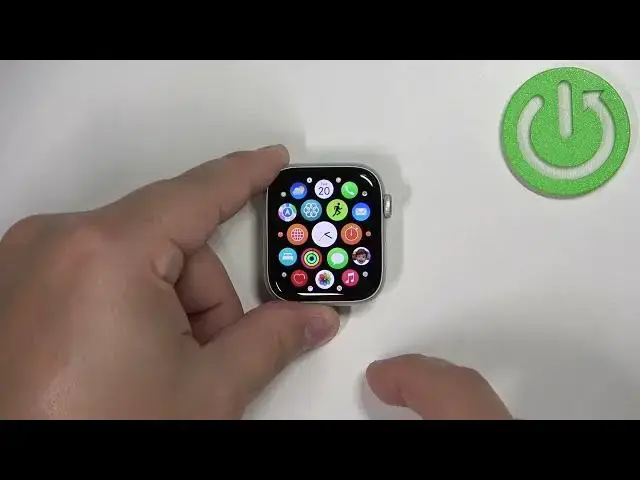
Once you wake up the screen you will need to press the crown button to open the menu
0:56
In the menu scroll by swiping on the screen, find the heart rate icon, this one looks like a heart and tap on it
1:06
And your watch should start measuring the heart rate automatically once you open the heart rate app
1:11
As you can see you have the current category and if you have this animation on the screen
1:15
this means that the heart rate is being measured and here we have the result
1:20
The heart rate will change as you can see it jumping around because
1:24
it's measuring the heart rate in real time basically so it's gonna jump around
1:28
But once it stabilizes it should be your current heart rate. You can also scroll down and check your resting heart rate for that you will need more data
1:39
So you need to wear the watch for longer periods of time and also the walking average heart rate
1:46
So if you walk a lot you can check how is your heart rate during the walks
1:51
You can also tap on the current option to check the graph for the whole day basically
1:56
You can also tap on back and I think you can do the same for the resting heart rate
2:03
Yes. And same for walk. Like this. Okay. And once you're done measuring the heart rate you can press the crown button to go back to watch face
2:16
Like this. And that's how you measure the heart rate on this watch
2:22
Thank you for watching. If you found this video helpful please consider subscribing to our channel and leaving the like on the video