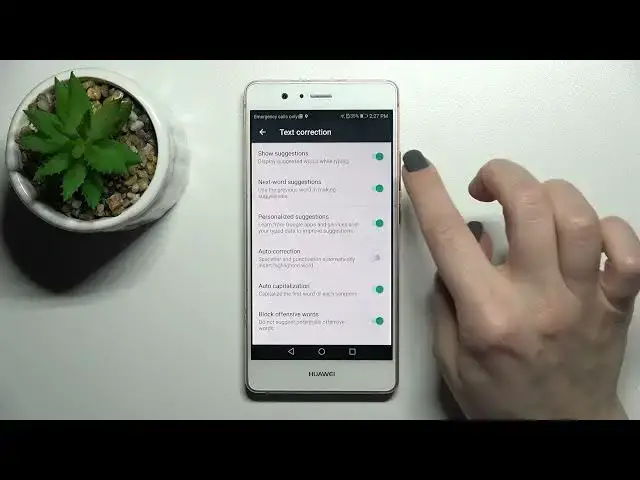

How to Manage Text Correction Functions on HUAWEI P9 Lite – Keyboard Customization
Jul 2, 2024

Find out more about HUAWEI L31 P9 Lite:
https://www.hardreset.info/devices/huawei/huawei-l31-p9-lite/
Text Correction. This is a great feature that allows you to write competent text quickly and without errors. So, follow our steps and learn the best method to enter and manage this keyboard settings mode on your HUAWEI L31 P9 Lite device. Our whole friendly team thanks you for subscribing and likes!
How to Activate Text Correction in HUAWEI P9 Lite? How to Use Text Correction in HUAWEI P9 Lite? How to Turn on Text Correct in HUAWEI P9 Lite? How to Turn off Autocorrect in HUAWEI P9 Lite? How to Enable Text Correction in HUAWEI P9 Lite? How to Switch On Text Correction in HUAWEI L31 P9 Lite? How to Open Text Correction Options in HUAWEI L31 P9 Lite? How to Find Text Correction Options in HUAWEI L31 P9 Lite?
#CorrectText #KeyboardSettings #HUAWEIP9Lite
Follow us on Instagram ► https://www.instagram.com/hardreset.info
Like us on Facebook ► https://www.facebook.com/hardresetinfo/
Tweet us on Twitter ► https://twitter.com/HardResetI
Support us on TikTok ► https://www.tiktok.com/@hardreset.info
Use Reset Guides for many popular Apps ► https://www.hardreset.info/apps/apps/
Show More Show Less #Intelligent Personal Assistants