0:00
Welcome to the Infront of Mijano Ratix and I'll show you how to find and manage sound
0:11
settings on this device. So first you should go into the settings application and then scroll to the sounds and vibrations section
0:20
Here as you can see we got the volume panels, media, ringtone, alarm and calls volume buttons
0:29
You can just change the volume by swap this white dot to the left or to the right side
0:37
And also here we got the silent mode switcher, you can turn on or turn off the silent mode
0:46
Also we can here enable the vibration in the silent mode. Here also we got the default volume button control so now by using your volume buttons
0:55
on the right side of your device here you can change the media but you can also change
1:01
the ringtone volume. And here also we got the tone disturb mode, you can turn it on or turn it off
1:09
Here we got the phone ringtone, we got here two sim slots in this device so you can set
1:14
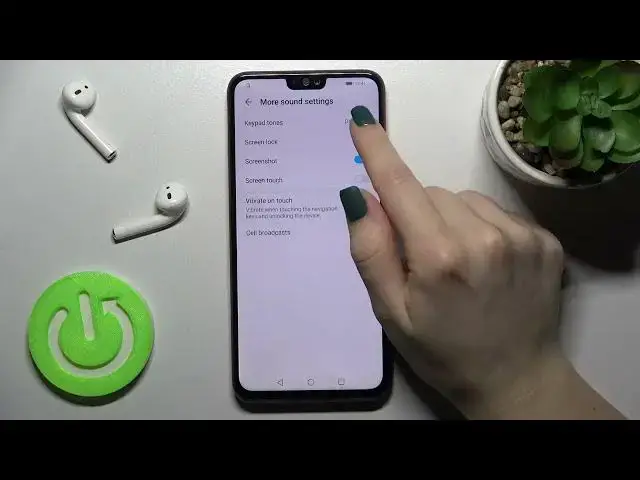
different ringtones for each sim card. Also you can here change the notification sound and here we will go to the more sound settings
1:25
Here you can enable the keypad tones, you can just disable them, enable or also you
1:32
can set a melody. Also here we can enable the screen lock sounds, when you just will unlock or lock your device
1:40
you will hear the sound, the same like the screenshot sound and the screen touch
1:47
And now for example we will go back or we will open the application, we will hear the
1:55
touch sounds on our device. So that's how it looks and thank you so much for watching and if you find this video helpful
2:02
don't forget to leave a like, comment and to subscribe our channel