0:00
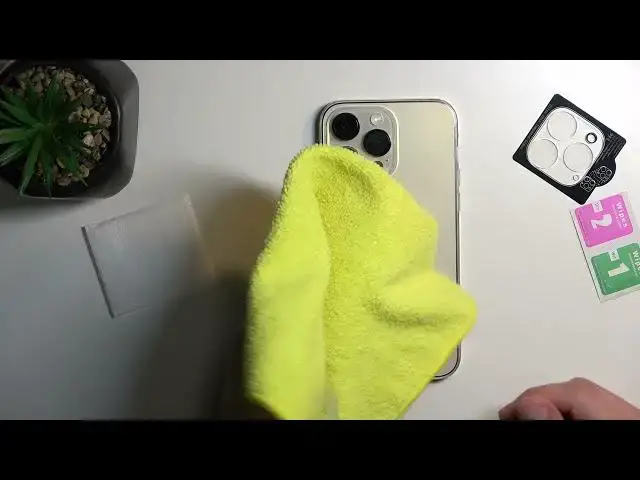
Welcome! In front of me I have the brand new iPhone 14 Pro Max and I'll show you how I can apply this little camera protection
0:16
Basically apply it right here. So I got it from whatever this company is
0:22
Actually... So you can kind of see it. Anyway, just pop it open
0:31
So in here you get the wet and dry wipe and the actual little camera sticker right here
0:40
Now one thing that I recommend doing before you even begin is just trying to figure out how it's supposed to be applied
0:46
So it looks like in this case it's going to go like this. So just make sure that it aligns correctly
0:53
This little hole in here is for the microphone which is right here under the camera
1:00
And then you have a cutout with a black inlay in here for the flash
1:07
So just make sure it's going correctly. Obviously there's only one way you can put it on
1:12
If you try to put it on incorrectly you will see that it won't ever fit correctly
1:18
Anyway, so there we go. I'll put on a case just so I don't scratch the display
1:23
There we go. Now when it comes down to actual cases some of them might have this kind of weird thing around the camera where it just goes between
1:34
If you do have something like that you won't be able to apply this
1:38
You need to have a case that has literal just cutout like this where there is nothing in there, right
1:46
So just a hole. Anyway, now when it comes down to wet and dry wipes you can utilize them if you want to
1:56
But truth be told I do prefer to use just a microfiber cloth myself
2:01
If you have one I would probably recommend using that. It's going to be much simpler and just a bigger cloth to utilize rather than trying to deal with, for instance, this
2:15
This tiny little wipe. You can see that's basically the size of it
2:20
So there we go. So I'm just going to use a microfiber cloth for this
2:27
Now what you want to prioritize when applying this is just make sure that your lenses and the glass that is on the camera is just clean without any kind of dust
2:40
You can also clean off the space in between. This square area
2:47
Though you don't need to worry that much about it. Just make sure that the cameras themselves are clean without any kind of dust
2:58
From there peel this off. There we go. A little bit. It is stuck on there pretty tough so that's why it kind of jumped out
3:10
But anyway, from here just apply it. All you want to do is just wiggle it around like this to make sure that the camera bumps are inside of these little cutouts
3:24
And from there just apply it. And from there without actually pressing it just yet you can just make sure that it's positioned correctly
3:35
If you are really autistic you can just kind of see if it's sticking to just like millimeters to one or other sides
3:43
And then press it down. And there we go. That's basically all you need to do
3:52
Now this will add a little bit of a bigger camera bump to your camera
3:58
So now it's big enough for me to literally hold the phone. Whoa! It came off. I hold my phone by it
4:04
I guess it wasn't fully on there. Let's try it again. Now once it's applied it should hold really well
4:12
So if it's coming off for you something might be getting in the way
4:22
There we go. So anyway, that is how you apply your little camera protection so you don't scratch your cameras
4:33
And if you found this video helpful don't forget to hit like, subscribe and thanks for watching