0:00
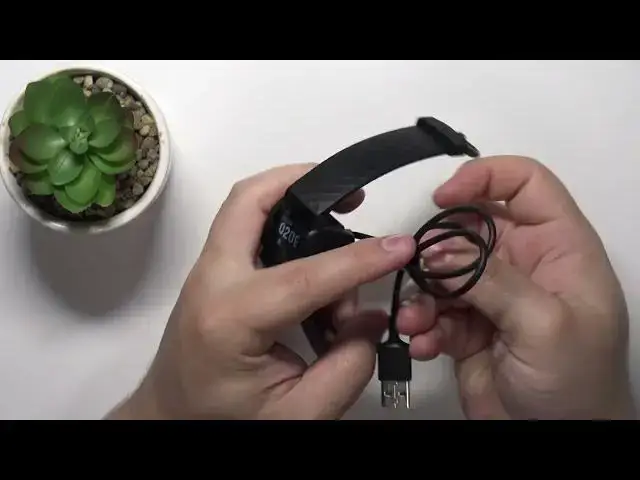
Welcome! In front of me I have Fitbit Charge 4 and I'm gonna show you how to
0:04
force restart this device. To force restart this device you will need a
0:12
couple of things. You will need a charging cable that was provided with your Fitbit Charge 4. It looks like this. And also you will need a charging
0:20
brick or access to a computer so you can plug the second end, the USB end of the
0:26
charging cable to the charging brick or computer to provide the power to the
0:30
smartband. Okay, now we can continue. So first we need to plug the smartband to
0:38
the charging cable. And to do it simply align the pins on the smartband with the
0:45
pins on the charger. Press the hands to open them like that. Place the band in the
0:52
charger. Wiggle it around a little to secure it in place like this. And now
0:59
once you plug this to the charger, the smartband, take the second end, the USB
1:05
end of the charger and plug it into a charging brick or computer to provide
1:12
the power. I'm just gonna use this cable right here. Like that. And once these, once
1:19
you see the smartband charging like this, you can go to the side and right
1:24
here you have the touch sensitive button. You need to press and hold it for about
1:28
8 to 10 seconds I believe. Basically until you see the smiling face on the
1:32
screen. This button is a little wonky so sometimes it doesn't want to work but
1:39
I'm gonna press and hold it. Hopefully it works this time. So press and hold the
1:44
button. Keep holding it. And once you see the smiling face on the screen you can
1:54
release the button and wait until the smartband is done rebooting. Like this
2:04
And once you're done you can unplug the smartband from the charger and
2:10
hopefully this will fix your problems. And that's how you force restart this
2:14
device. Thank you for watching. If you found this video helpful please consider
2:20
subscribing to our channel and leaving the like on the video