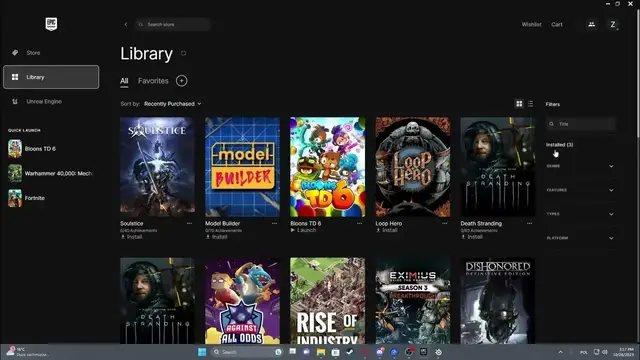

How To Filter Library By Installed Games On Epic Games Launcher 2023 / 2024
Jan 19, 2024

Find out more on our website : https://www.hardreset.info/
Managing your game library on the Epic Games Launcher for the years 2023 and 2024 becomes more streamlined when you filter your games to focus on those that are currently installed. In this guide, we'll show you how to filter your library by installed games, making it easier to access and play the titles you already have on your system. Whether you want to declutter your view, free up storage, or organize your gaming collection, our step-by-step instructions will help you simplify your library.
How to filter the library by installed games on Epic Games Launcher (2023/2024)?
Can I use voice commands to filter my library by installed games?
Why would I want to filter my library to show only installed games on Epic Games Launcher?
Are there specific settings or filters to configure for this purpose?
How to troubleshoot issues or challenges with library filtering?
Can I access and manage my installed games separately from other titles in the library?
What happens when I filter my library to show only installed games on Epic Games Launcher?
#epicgames #epicgamesstore #epicgameslauncher
Follow us on Instagram ► https://www.instagram.com/hardreset.info
Like us on Facebook ► https://www.facebook.com/hardresetinfo/
Tweet us on Twitter ► https://twitter.com/HardResetI
Support us on TikTok ► https://www.tiktok.com/@hardreset.info
Use Reset Guides for many popular Apps ► https://www.hardreset.info/apps/apps/
Show More Show Less