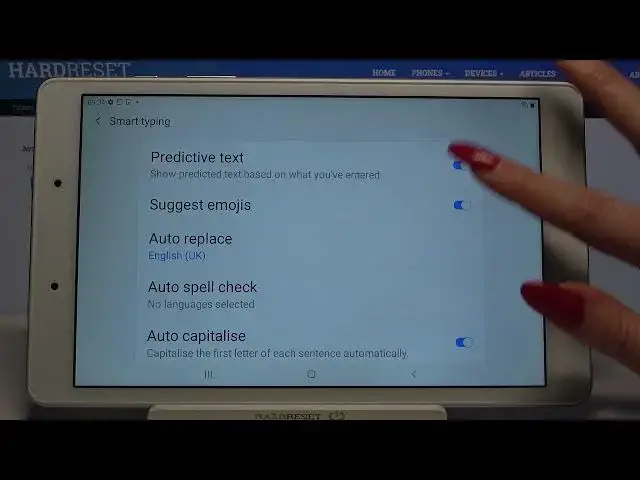

How to Enter Text Correction Options on SAMSUNG Galaxy Tab A 8.0 - Open Text Correction Options
Apr 21, 2024

Find out more info about SAMSUNG Galaxy Tab A 8.0:
https://www.hardreset.info/devices/samsung/samsung-galaxy-tab-a-80-20192/
Today we want to show you all the smart typing options in SAMSUNG Galaxy Tab A 8.0 that you will definitely love. Follow our instructions, go to the keyboard settings, then go to the Smart Typing tab. If you want to activate options such as auto capitalise, auto spacing, auto punctuates, text shortcuts, auto spell check, predictive text, stay here with us. Visit our YouTube channel if you want to know more about your Galaxy Tablet.
How to open text correction options in SAMSUNG Galaxy Tab A 8.0? How to enter text correction options in SAMSUNG Galaxy Tab A 8.0? How to find all text correction options in SAMSUNG Galaxy Tab A 8.0? How to find all text correction options in SAMSUNG Galaxy Tab A 8.0? How to open keyboard settings in SAMSUNG Galaxy Tab A 8.0? How to find smart typing options in SAMSUNG Galaxy Tab A 8.0?
#TextCorrectionOptions #EnterTextCorrectionOptions #SAMSUNGGalaxyTabA80
Follow us on Instagram ► https://www.instagram.com/hardreset.info
Like us on Facebook ► https://www.facebook.com/hardresetinfo/
Tweet us on Twitter ► https://twitter.com/HardResetI
Support us on TikTok ► https://www.tiktok.com/@hardreset.info
Use Reset Guides for many popular Apps ► https://www.hardreset.info/apps/apps/
Show More Show Less