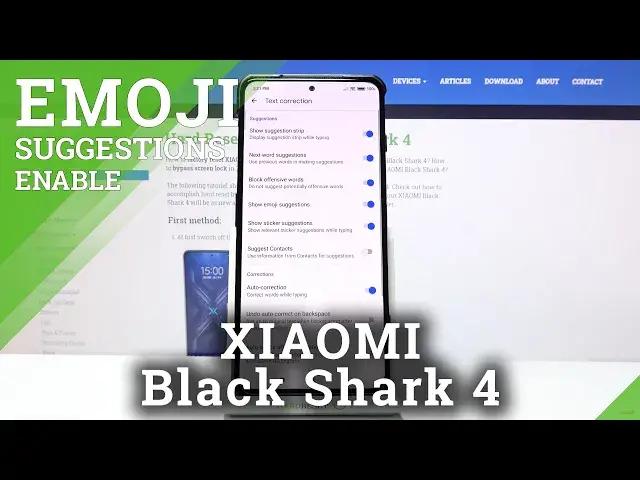

How to Enable Emoji Suggestions in Xiaomi Black Shark 4 - Predictive Emojis
Jul 7, 2024

Learn more info about Xiaomi Black Shark 4: https://www.hardreset.info/devices/xiaomi/xiaomi-black-shark-4/
Today, we are coming to you with easy-to-follow tutorial, in which our expert will show you how to Switch On or Off super helpful text correction option! It’s called Emojis Suggestions, and thanks to it, on the top of your keyboard you’ll see all emojis fitting to text you are typing. This way, you’ll be able to text much faster, instead of losing time looking for perfect emoji. So, don’t wait, watch this video and find out if this keyboard feature is helpful for you, let’s begin!
How to Show Emoji in Xiaomi Black Shark 4? How to Use Emoji in Xiaomi Black Shark 4? How to Turn on Emoji Suggestion in Xiaomi Black Shark 4? How to Turn Off Emoji Suggestion in Xiaomi Black Shark 4? How to Disable Emoji Suggestion in Xiaomi Black Shark 4? How to Activate Emoji Suggestion in Xiaomi Black Shark 4? How to Enter Keyboard Settings in Xiaomi Black Shark 4? How to Open Keyboard Settings in Xiaomi Black Shark 4? How to use Predictive Emoji in Xiaomi Black Shark 4? How to Enable Predictive Emoji in Xiaomi Black Shark 4? How to Disable Predictive Emoji in Xiaomi Black Shark 4? How to Turn on Predictive Emoji in Xiaomi Black Shark 4? How to Turn Off Predictive Emoji in Xiaomi Black Shark 4?
#XiaomiBlackShark4 #EnableEmojiSuggestions #PredictiveEmojis
Follow us on Instagram ► https://www.instagram.com/hardreset.info
Like us on Facebook ► https://www.facebook.com/hardresetinfo/
Tweet us on Twitter ► https://twitter.com/HardResetI
Support us on TikTok ►https://tiktok.com/@hardreset.info
Use Reset Guides for many popular Apps ► https://www.hardreset.info/apps/apps/
Show More Show Less