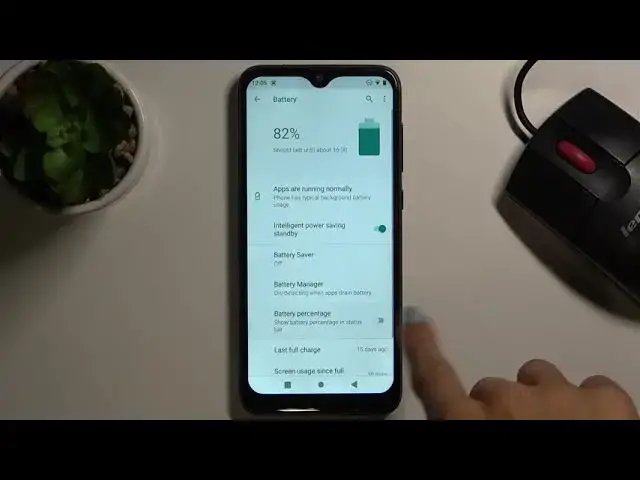

How to Enable Battery Percentage in OUKITEL C15 Pro – Check Battery Level
Jul 10, 2024

Learn more about OUKITEL C15 Pro
https://www.hardreset.info/devices/oukitel/oukitel-c15-pro/
Watch this tutorial if you want to monitor the battery level on the OUKITEL C15 Pro. Follow our instructions to enter your battery settings, then run the battery percentage. The battery level will be visible next to the battery icon in the notification bar, so you will be able to easily and constantly check how many percent is left until the device is fully discharged.
How to enable Battery Percentage in OUKITEL C15 Pro? How to activate Battery Percentage in OUKITEL C15 Pro? How to switch battery percentage on OUKITEL C15 Pro? How to turn on Battery Percentage in OUKITEL C15 Pro? How to turn off Battery Percentage in OUKITEL C15 Pro? How to see Battery Percentage on OUKITEL C15 Pro? How to check Battery Percentage in OUKITEL C15 Pro? How to Observe Battery Percentage in OUKITEL C15 Pro? How to Observe Battery Level in OUKITEL C15 Pro?
#BatteryLevel #BatteryPercentage #OUKITELC15Pro
Follow us on Instagram ► https://www.instagram.com/hardreset.info
Like us on Facebook ► https://www.facebook.com/hardresetinfo/
Tweet us on Twitter ► https://twitter.com/HardResetI
Support us on TikTok ► https://www.tiktok.com/@hardreset.info
Use Reset Guides for many popular Apps ► https://www.hardreset.info/apps/apps/
Show More Show Less