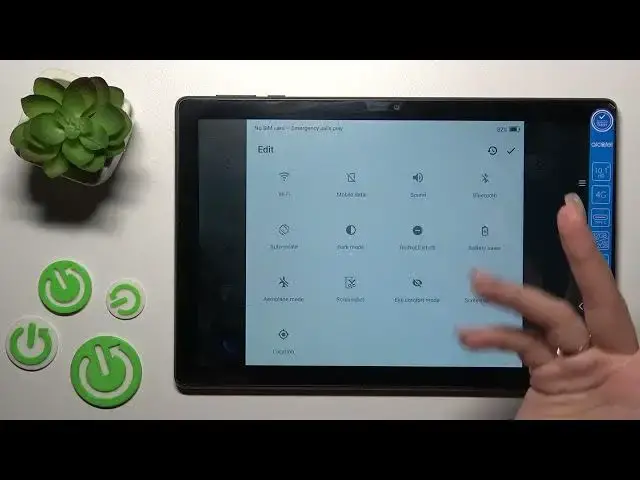

How to Edit Notification Panel Shortcuts on ALCATEL 3T 10 4G / Add or Remove Quick Settings
Mar 25, 2024

Check more tutorials for ALCATEL 3T 10 on our website:
https://www.hardreset.info/devices/alcatel/alcatel-3t-10/tutorials/
If you want to learn how to use and manage your tablet like a pro, then you should know the right way to customize your device's settings. In today's video, we'll show you how to correctly add or remove quick settings shortcuts on the notification panel of your ALCATEL 3T 10 4G. You'll learn how to access the notification panel and manage every option you can find there in a single minute. So, if you want to learn something new, watch this video to the very end and our expert will show and explain everything you need to know in a couple easy steps. If you like our content, leave your thumb up under the video, let us know about your thoughts in the comment section and, of course, don't forget to subscribe to our channel. Have a wonderful day!
How do you edit notification panel shortcuts on ALCATEL 3T 10 4G?
How to add a shortcut on ALCATEL 3T 10 4G?
How to remove a shortcut from the notification panel on ALCATEL 3T 10 4G?
How to manage the notification panel on ALCATEL 3T 10 4G?
how to customize the notification panel on ALCATEL 3T 10 4G?
#alcatel3t10 #notificationpanel #shortcuts
Follow us on Instagram ► https://www.instagram.com/hardreset.info
Like us on Facebook ► https://www.facebook.com/hardresetinfo/
Tweet us on Twitter ► https://twitter.com/HardResetI
Support us on TikTok ► https://www.tiktok.com/@hardreset.info
Use Reset Guides for many popular Apps ► https://www.hardreset.info/apps/apps/
Show More Show Less