0:00
Hi subscribers! We are so happy that you are with us today
0:03
Right now we will talk about the Snapchat app and I will show you how to create very popular black text tricks on Snapchat stories
0:11
So let's go to watching! The first step is to open our Snapchat app and when we are on the default camera
0:23
screen, as an example I want to use my image from the gallery as the background of my story. So I will
0:30
tap on this icon and go to the camera roll section. I will tap on this image to set it
0:37
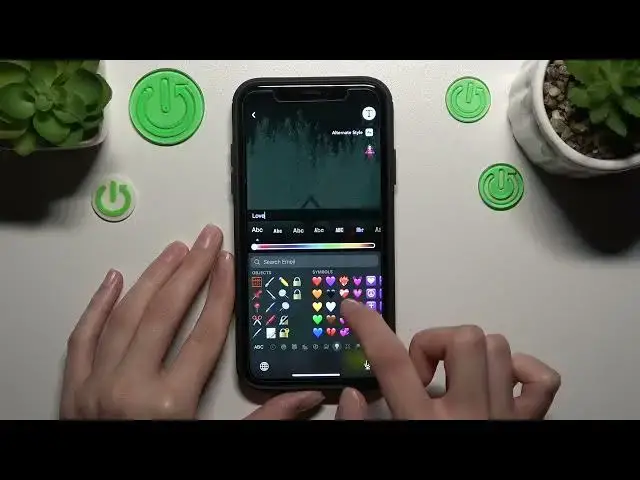
at the background and to create this very popular black streak I need to tap on this text feature
0:46
And guys, you have a lot of different fonts options here. Okay, but to create such a cool black streak you need to tap on this
0:55
definitely Arial option, which is the first one. And I will set some words as an example, my text. So I will tap on
1:05
enough and set the white heart. Okay guys, but if you want to set this
1:11
text on the center of your screen, you just do nothing, because in the default settings and this text will be on the
1:19
center. You can also drag the selector to the right or left side to choose another color. I want to set this one
1:28
So guys, it's a very convenient option. To save these changes you just need to
1:33
pick on the free space, but I want also to format my text
1:38
I need to hold on my text if I have an iPhone and if you have an iPhone you can
1:43
format it after tapping on this format feature. So I can make it bold, metallic, it's the font style, or underline
1:54
I will repeat, sorry. So I, for example, want to underline my
2:00
text. Okay, so as I said before, we need to tap on the free space. You can also change the location of
2:09
this streak after dragging and swiping into the upper or down side. Okay, and don't forget that you can
2:17
also delay this streak after tapping and dragging it on the trash bar this way, but I want to stay it here
2:27
And well done guys! I hope that this tutorial definitely is interesting and useful. Don't forget about
2:34
like and don't forget to subscribe to our channel to find even more cool
2:38
tutorials and tricks about the Snapchat app and other applications. Goodbye! Bye-bye