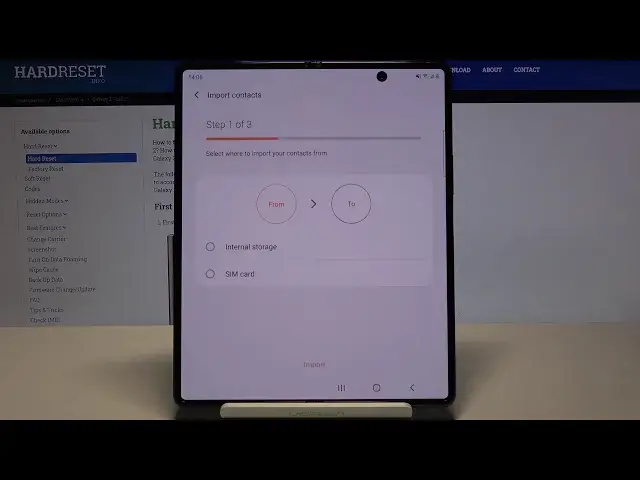

How to Copy Contacts on Samsung Galaxy Z Fold 2 - Transfer Numbers from SIM to Internal Storage
Apr 26, 2024

Read more details:
Do you wonder how to transfer phone numbers between internal and external storage in SAMSUNG Galaxy Z Fold 2? Are you looking for a solution to transfer contacts from the SIM card to phone storage in SAMSUNG Galaxy Z Fold 2? We would like to present the guide, where we explain to you how to copy contacts on SAMSUNG Galaxy Z Fold 2. If you want to move contact between internal and external storage of your device, follow the attached tutorial and learn how to get access to the contacts settings and copy any wanted contact to SIM cards or internal storage.
How to transfer contacts on SAMSUNG Galaxy Z Fold 2? How to move contacts on SAMSUNG Galaxy Z Fold 2? How to transport contacts on SAMSUNG Galaxy Z Fold 2? How to move contacts from SIM to SAMSUNG Galaxy Z Fold 2? How to import contacts to SAMSUNG Galaxy Z Fold 2? How to export contacts on SAMSUNG Galaxy Z Fold 2? How to manage contacts on SAMSUNG Galaxy Z Fold 2?
#CopyConacts #ExportNumbers #SAMSUNGGalaxyZFold2
Follow us on Instagram ► https://www.instagram.com/hardreset.info
Like us on Facebook ► https://www.facebook.com/hardresetinfo/
Tweet us on Twitter ► https://twitter.com/HardResetI
Support us on TikTok ► https://www.tiktok.com/@hardreset.info
Use Reset Guides for many popular Apps ► https://www.hardreset.info/apps/apps/
Show More Show Less