0:00
Hi, welcome to Hardware's DINFO channel, dear viewers
0:03
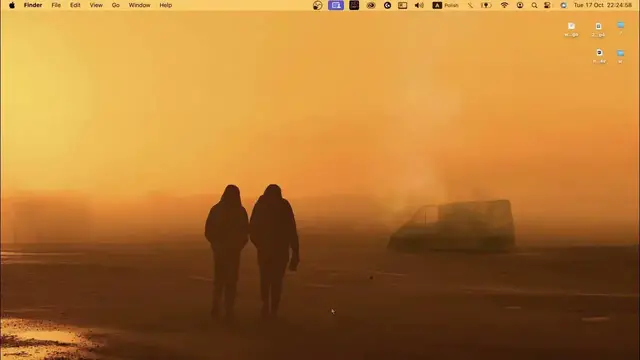
In front of me Mac OS device with Mac OS Sonoma and now I can show you how to customize the
0:10
desktop background on this device. So if you are Windows user, maybe you know that by clicking on the right button you can
0:24
change the wallpaper and here you can change it too, but you don't need to click on the
0:28
personalization button, just click change wallpaper and that's it. And you open the wallpaper changing setting in the settings
0:39
Of course you can just open settings and in settings scroll down and find wallpapers here
0:45
So you can do it in this way and here we have different types of wallpapers
0:52
So I'll show you it and I'll show you how to use it
0:58
Okay, so as you can see here we have your photos. So if you will use this feature, you will use the wallpaper from your photos application
1:13
It will automatically find pictures in your gallery with great resolution, minimum 1080
1:25
to 1920 and in this way it will show your photos wallpapers too
1:34
You can show it, you can use the collage and other. Here we have dynamic wallpapers
1:40
What are dynamic wallpapers? So dynamic wallpapers is the wallpapers what moves, but in my case it doesn't move because
1:51
of several reasons. First reason battery, second reason is the reason that I'm recording right now and while
2:07
recording leaf wallpapers is not moving. And of course here we have video wallpapers
2:16
In video wallpapers, our wallpapers are moving every time. So let's open it
2:24
But of course if you will click on it first time, you will need to wait several minutes
2:33
because it must be downloaded. But when you will use dynamic wallpapers, it will change, for example Monterey wallpaper
2:41
will change their color during the day. For example in the midday it will lighter, in the midnight it will dark and in this way
2:54
it will during the day change their color. So what is our London evening
3:05
It's downloading, so wait a while. Wow cool, as you can see I have London night here and unfortunately as you can see it doesn't
3:20
move right now too because of our favorite battery. It's charging, but as you can see it's charging so bad
3:30
So maybe that's it, that's it what I need to tell you about leaf wallpapers and dynamic wallpapers
3:39
Dynamic wallpapers is why your wallpapers changing during the day, but leaf wallpapers
3:47
video wallpapers is the wallpapers that are moving and you can set up the colors for example
3:57
It's minimalistic and it's cool. You can set up the beautiful wallpapers from the wallpapers folder for example
4:10
You can change wallpapers for the different home screens, but to do it you need to disable
4:22
the wallpaper, disable the wallpaper settings, disable wallpaper settings, disable wallpaper settings, disable wallpaper settings, disable wallpaper settings, disable wallpaper settings
4:34
disable wallpaper settings, disable wallpaper settings, disable wallpaper settings, disable wallpaper settings, disable wallpaper settings, disable wallpaper settings, disable wallpaper settings, disable wallpaper settings, disable wallpaper settings, disable wallpaper settings
4:37
disable wallpaper settings, disable wallpaper settings, disable wallpaper settings, disable wallpaper settings, disable wallpaper settings, disable wallpaper settings, disable wallpaper settings, disable wallpaper settings, disable wallpaper settings, disable wallpaper settings
4:40
disable wallpaper settings, disable wallpaper settings, disable wallpaper settings, disable wallpaper settings, disable wallpaper settings, disable wallpaper settings, disable wallpaper settings, disable wallpaper settings, disable wallpaper settings, disable wallpaper settings, disable wallpaper settings
4:43
disable wallpaper settings, disable wallpaper settings, disable wallpaper settings, disable wallpaper settings, If you wanna set up the wallpaper which you downloaded, so I hope I have
4:53
the image in my gallery, yes I have it, so to do it just click on it with two fingers
5:00
and here you will see the option to set desktop picture, so click on it, wait a while, and
5:13
as you can see I have changed the desktop picture only on this desktop
5:19
So great, that's it, I hope this video was helpful for you, thanks for watching, like
5:25
this video, subscribe to the AVA channel and bye, see you