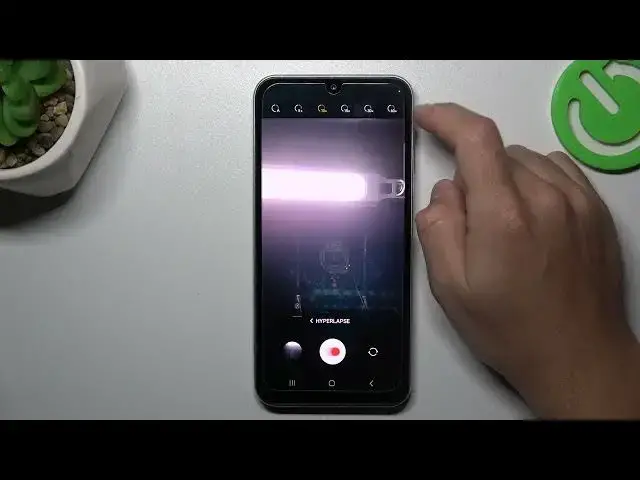

How to Change Timelapse Video Speed on SAMSUNG Galaxy A05s?
Aug 4, 2024

Learn more info about SAMSUNG Galaxy A05S:
https://www.hardreset.info/devices/samsung/samsung-galaxy-a05s/tutorials/
Do you want to create captivating time-lapse videos on your SAMSUNG Galaxy A05S and have the flexibility to adjust the playback speed? With your phone's camera's time-lapse feature, you can capture remarkable videos and fine-tune the playback speed to achieve unique effects.
In this comprehensive tutorial, we will guide you through the process of changing the time-lapse video speed on your SAMSUNG Galaxy A05S, empowering you to craft videos that precisely match your preferences. Whether you aim to slow down the action for a dramatic effect or speed it up for a fast-paced sequence, our step-by-step instructions will show you how to do it effortlessly.
Get ready to dive into the world of time-lapse videography and master the art of adjusting video speed on your SAMSUNG Galaxy A05S. Let's start this journey together and explore the creative possibilities at your fingertips.
How to Change Time-Lapse Video Speed on SAMSUNG Galaxy A05S? How to Set Up Time-Lapse Video Speed on SAMSUNG Galaxy A05S? How to Manage Time-Lapse Video Speed on SAMSUNG Galaxy A05S? #timelapse #timelapsespeed #SAMSUNGGalaxyA05S
Follow us on Instagram ► https://www.instagram.com/hardreset.info
Like us on Facebook ► https://www.facebook.com/hardresetinfo/
Tweet us on Twitter ► https://twitter.com/HardResetI
Support us on TikTok ► https://www.tiktok.com/@hardreset.info
Use Reset Guides for many popular Apps ► https://www.hardreset.info/apps/apps/
Show More Show Less