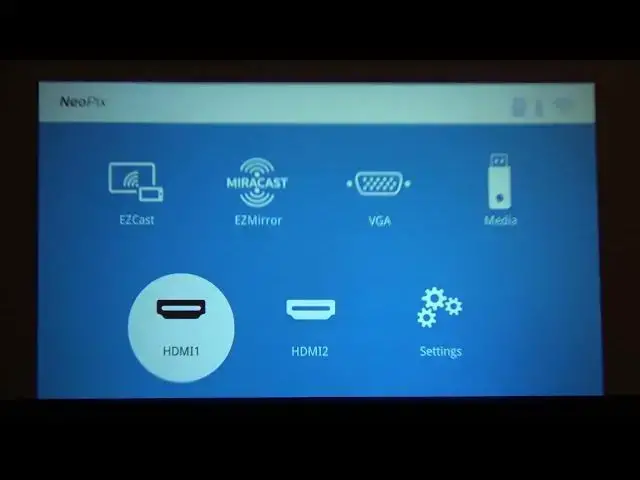

How to Change PHILIPS NeoPix Prime FHD Projector Input Source - Switch from HDMI to USB or VGA
Jul 2, 2024

Check out additional info about PHILIPS NeoPix Prime FHD Projector: https://www.hardreset.info/devices/philips/philips-neopix-prime-fhd/
You can display images using PHILIPS NeoPix Prime FHD Projector from various sources, in this video, I will show you how to choose one of the available input sources. You can either use EZCast or Miracast to wirelessly cast the smartphone screen to PHILIPS NeoPix Prime FHD Projector.
Follow us on Instagram ► https://www.instagram.com/hardreset.info
Like us on Facebook ► https://www.facebook.com/hardresetinfo/
Tweet us on Twitter ► https://twitter.com/HardResetI
Support us on TikTok ► https://www.tiktok.com/@hardreset.info
Use Reset Guides for many popular Apps ► https://www.hardreset.info/apps/apps/
How to switch input sources on PHILIPS NeoPix Prime FHD Projector? How to screencast on PHILIPS NeoPix Prime FHD Projector?
#Philips #NeoPix #projector
Show More Show Less