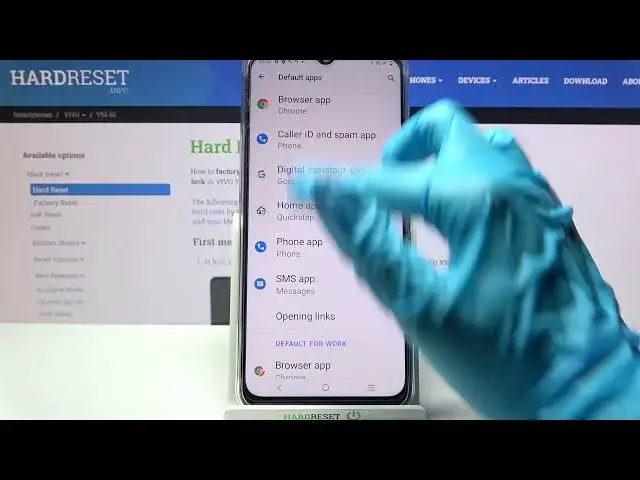

How to Change Default Apps on VIVO Y52 5G - Set Default App
Apr 10, 2024

To learn more tutorials about VIVO Y52 5G:
https://www.hardreset.info/devices/vivo/vivo-y52-5g/tutorials/
Hi there! Wondering, how to easily Change Default Apps on VIVO Y52 5G? Looking for a way, how to Adjust the Default App on VIVO Y52 5G? Let's learn how to successfully Change Default Apps on VIVO Y52 5G in the attached tutorial. By following all the instructions described by our specialist you will be able to Set Up the desired app as your default app on your VIVO Y52 5G. In this video w,e will show you how to easily Change Default Apps, such as browser app, home app, phone app, and SMS app. If you enjoyed this video, leave a like, leave a comment, and don't forget to subscribe to our Channel. To learn more tutorials about your VIVO Y52 5G and other devices, visit our YouTube Channel. If you still have any questions, feel free to ask them in a comment. Thank you for watching this video!
How to Change Default Apps on VIVO Y52 5G?
How to Change Apps on VIVO Y52 5G?
How to Set Up Default Apps on VIVO Y52 5G?
How to Use Default Apps on VIVO Y52 5G?
How to Choose Default Apps on VIVO Y52 5G?
How to Pick Default Apps on VIVO Y52 5G?
#VIVOY525G #ChangeDefaultApps #SetDefaultApp
Follow us on Instagram ► https://www.instagram.com/hardreset.info
Like us on Facebook ► https://www.facebook.com/hardresetinfo/
Tweet us on Twitter ► https://twitter.com/HardResetI
Support us on TikTok ► https://www.tiktok.com/@hardreset.info
Use Reset Guides for many popular Apps ► https://www.hardreset.info/apps/apps/
Show More Show Less