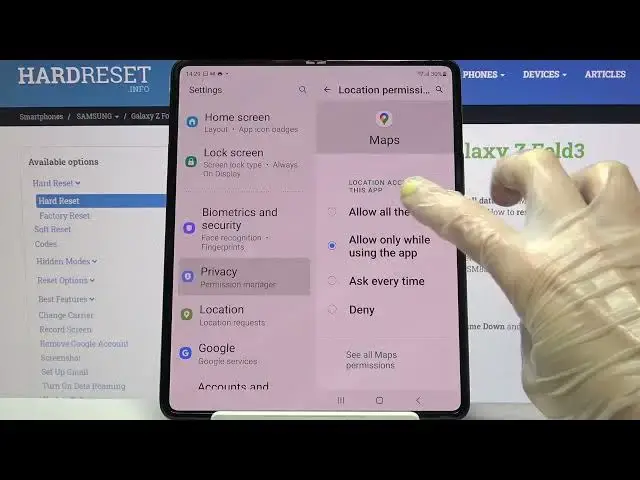

How to Change App Permissions on SAMSUNG Galaxy Z Fold 3 – App Manager
Jul 8, 2024

Learn more about SAMSUNG Galaxy Z Fold 3: https://www.hardreset.info/devices/samsung/samsung-galaxy-z-fold3-5g/
Interested in how to smoothly adjust the app manager on SAMSUNG Galaxy Z Fold 3? Do you want to check out how to change app permission in SAMSUNG Galaxy Z Fold 3? Find out the attached instructions, where we teach you how to change app permission on SAMSUNG Galaxy Z Fold 3. If you would like to customize the app manager on the Samsung smartphone, stay with us, and get access to the settings that allow you to change app permission on SAMSUNG Galaxy Z Fold 3 smoothly. Let’s follow the presented tutorial and learn how to allow app permission on SAMSUNG Galaxy Z Fold 3. Visit our HardReset.info YT channel and get many useful tutorials for SAMSUNG Galaxy Z Fold 3.
How to manage app permissions on SAMSUNG Galaxy Z Fold 3? How to set app permissions on SAMSUNG Galaxy Z Fold 3? How to set up app permissions on SAMSUNG Galaxy Z Fold 3? How to disable app permissions on SAMSUNG Galaxy Z Fold 3? How to disable app permissions on SAMSUNG Galaxy Z Fold 3?
#AppPermissions #AppManager #SAMSUNGGalaxyZFold3
Follow us on Instagram ► https://www.instagram.com/hardreset.info
Like us on Facebook ► https://www.facebook.com/hardresetinfo/
Tweet us on Twitter ► https://twitter.com/HardResetI
Support us on TikTok ► https://www.tiktok.com/@hardreset.info
Use Reset Guides for many popular Apps ► https://www.hardreset.info/apps/apps/
Show More Show Less