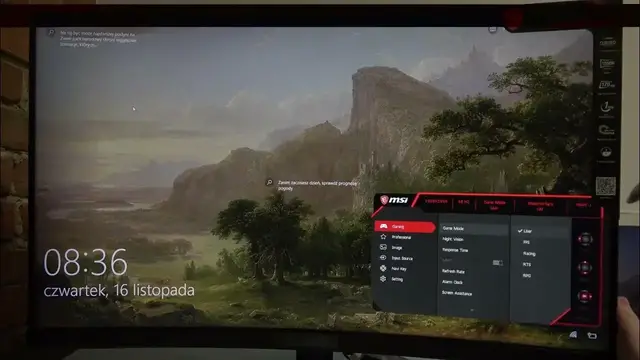

How To Add Refresh Rate Marker In Monitor MSI G32C4
Jan 18, 2024

Find Out More On Our Website : https://www.hardreset.info/
Unleash the full potential of your gaming experience on the MSI G32C4 monitor by mastering the process of adding a refresh rate marker. This comprehensive guide will walk you through the steps to customize your monitor settings, allowing you to overlay a refresh rate indicator for precise and responsive gaming. Whether you're a competitive gamer or simply seeking a smoother visual experience, understanding how to add a refresh rate marker in the MSI G32C4 monitor empowers you to optimize your display for superior gaming performance.
How to add a refresh rate marker in MSI G32C4 monitor?
Why use a refresh rate marker on my MSI G32C4 monitor?
Where can I find the option to add a refresh rate marker in the monitor settings?
Can I customize the appearance or position of the refresh rate marker on MSI G32C4?
Is there a default refresh rate marker setting that I can revert to on the MSI G32C4 monitor?
How does adding a refresh rate marker impact overall gaming performance on MSI G32C4?
Can I troubleshoot issues related to adding a refresh rate marker on MSI G32C4?
Are there recommended practices for utilizing a refresh rate marker on MSI G32C4?
#MSIG32C4 #MSI #msigaming
Follow us on Instagram ► https://www.instagram.com/hardreset.info
Like us on Facebook ► https://www.facebook.com/hardresetinfo/
Tweet us on Twitter ► https://twitter.com/HardResetI
Support us on TikTok ► https://www.tiktok.com/@hardreset.info
Use Reset Guides for many popular Apps ► https://www.hardreset.info/apps/apps/
Show More Show Less