0:00
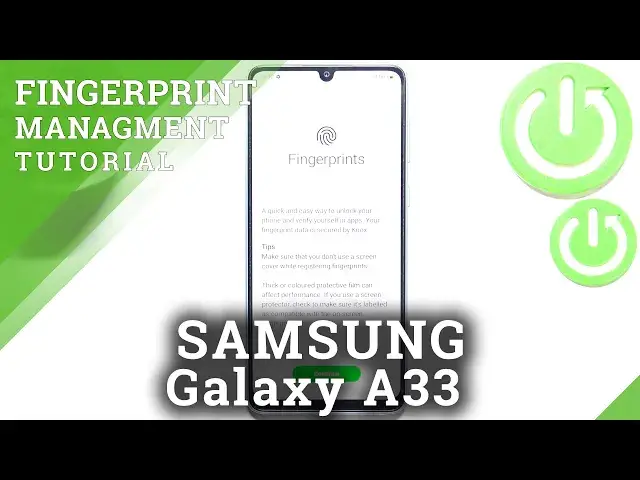
Hi everyone. In front of me I've got Samsung Galaxy A33 and let me share with you how to
0:11
add the fingerprint to this device. So first of all we have to enter the settings and now
0:16
let's scroll in order to find the biometrics and security. Now let's tap on the fingerprints
0:22
They should be on the second position and here we've got the very first step of adding
0:26
the fingerprint. So here we've got some tips. So it is better to not use the screen protectant
0:32
if you're registering the fingerprints and so on and so on. So just tap on continue
0:38
And here we have to enter, actually not enter but add an additional screen lock. So you
0:44
can choose the pattern pen or password and it is very important and actually you won't
0:48
be able to add your fingerprint without adding the screen lock. It is because that if for
0:53
some reason the fingerprint sensor won't work then you will still be able to unlock
0:58
your device without the need to go through the hard reset operation which will wipe out
1:03
all of the data from your device. So let's pick the option you like. I will pick the
1:08
pattern so let me draw it. Tap on next, redraw it and confirm. And as you can see right now
1:17
we have to start the scanning of our fingerprint. This is the sensor so all you have to do is
1:23
to simply tap on the sensor and do it multiple times in order to add the fingerprint. Fully
1:30
of course try to add every corner, touch every corner so just change the position of it
1:40
Just like you. Okay and as you can see fortunately in this model it is not very complicated
1:50
It's quite easy. So we just successfully added the fingerprint. We can add another
1:54
or simply tap on done. Your device will ask you if you want to backup your color. I don't
1:59
want to so let me tap on cancel. And here we've got some options which are connected
2:04
to the fingerprints. Here we've got the fingerprint we just added. After tapping on it we can
2:09
remove it here or rename it. So let me do it because why not. Remember to tap on save
2:14
As you can see it has been immediately applied. We can add the fingerprint here and we can
2:19
check the fingerprint. So if you have a lot of them added I believe that you can add up
2:24
to five fingerprints. Then you can simply tap on it and your device will display the
2:30
sensor and you can put the finger and your device will tell you which finger it is. Under
2:36
it you've got the options which are connected with the thing for what you want to use the
2:43
fingerprint for. So to the fingerprint unlock here you can decide if you want to have the
2:49
fingerprint always on. You can tap to show icon when screen is off. You can show animation
2:54
when unlocking and here you've got the info about the fingerprint. So basically let me
2:59
just go back and check if it is working. So let me lock the device and as you can see
3:05
after tapping you can see that the sensor. So let me put my finger on it and as you can
3:10
see the device is unblocked which means that we just successfully added the fingerprint
3:14
to it. So actually this is it. This is how to add the fingerprint in your Samsung Galaxy
3:20
A33. Thank you so much for watching. I hope that this video was helpful and if it was
3:26
please hit the subscribe button and leave the thumbs up