0:00
Hi everyone, in front of me I've got realme C21Y and let me share with you how to add
0:11
a fingerprint to this device. So first of all we have to enter the settings and now let's tap on the security option
0:18
Here in the device security on the second position we've got fingerprint so simply tap on it and this is the first step of adding a fingerprint and here we have to choose an
0:25
additional screen lock. We can pick the pattern pin or password and it is very important
0:30
Of course if you have the screen lock currently set you will be transferred to another step
0:34
If not you really have to do it right now. It's very important because if for some reason the fingerprint sensor won't work then you
0:40
will still be able to unlock your device and you won't have to go through the hard reset operation
0:46
So let me pick the pattern. Right now we have to draw it, redraw it and confirm
0:56
Here we have to decide what kind of notification content will be shown on the lock screen
1:01
So we can show all notification content, show sensitive content only when unblocked or don't
1:06
show notifications at all. It's really up to you which option you'd like to use. Just make sure that it is marked so I'll pick the second one and tap on done
1:14
Here we've got the information that we will be able to unlock our device with the fingerprint and so on and so on so we'll just tap on next
1:20
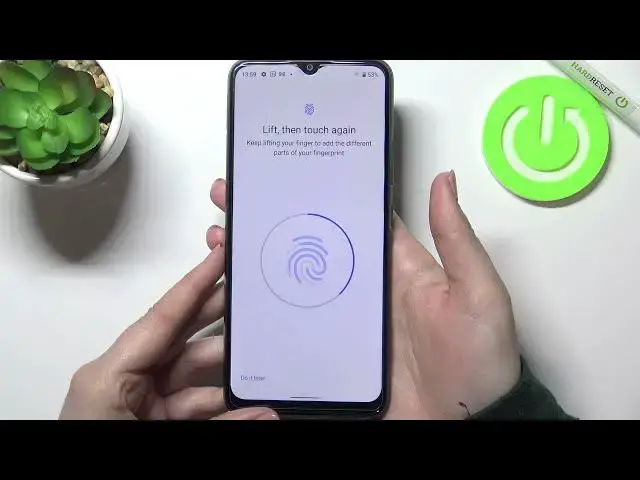
And right now we have to touch the sensor which is located on the back of our device
1:25
So let me put my finger on it and right now we have to do it multiple times in order to
1:29
add our fingerprint fully. So after feeling the vibration just put your finger again
1:39
And it's quite easy in this device as you can see the fingerprint has been added successfully
1:43
We can add another if not just tap on done. Here we've got the finger we just added
1:47
We can remove it just by tapping on the stripe and I can rename it if you want to and let
1:51
me do it because why not. Tap on okay. And we can add another fingerprint also
1:57
So actually this is it. This is the whole process of adding the fingerprint
2:00
So now let me show you and let me check actually if it is working fine
2:05
So let me look at the device and right now I'm putting my finger on the sensor
2:12
Okay okay and it missed actually two or three times but finally we've got our device unlocked
2:19
so it means that we successfully added our fingerprint to it. So actually this is it
2:24
This is how to add the fingerprint in your realme C21Y. Thank you so much for watching
2:29
I hope that this video was helpful and if it was please hit the subscribe button and