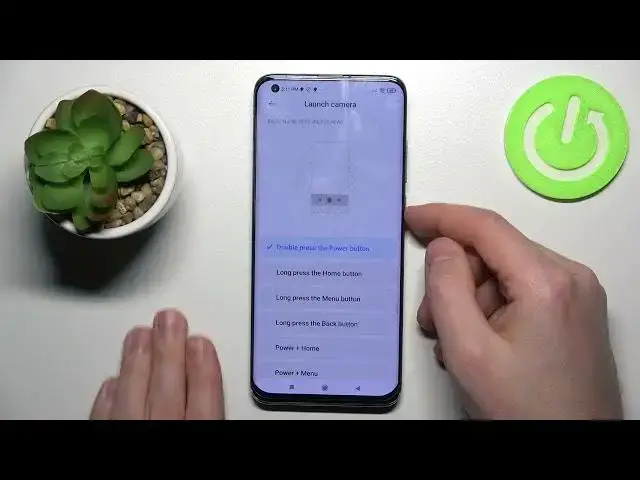

How to Activate Quick Launch on Xiaomi Mi 10 Pro – Turn On Quick App Access
Apr 7, 2024

Check more information about Xiaomi Mi 10 Pro:
https://www.hardreset.info/devices/xiaomi/xiaomi-mi-10-pro/tutorials/
Hi there! In order to open your favorite application, you do not need to search for it among all others, and so on, to enable quick access to your favorite application, you just need to activate the quick access function. After watching our video tutorial, you will be able to activate quick access to any application on your Xiaomi Redmi 10 by yourself. So, open our video tutorial and follow the steps of our Specialist to activate the quick launch option on your Xiaomi Redmi 10 by yourself. For more information visit our HardReset.info YT channel and discover many useful tutorials for Xiaomi Mi 10 Pro.
How to Enable Quick Access to App on Xiaomi Redmi 10?
How to Turn On Quick Launch on Xiaomi Redmi 10?
How to Open Application by Press and Hold Power Button Xiaomi Redmi 10?
#QuickLaunch #QuickAppAccess #xiaomiredmi10
Follow us on Instagram ► https://www.instagram.com/hardreset.info
Like us on Facebook ► https://www.facebook.com/hardresetinfo/
Tweet us on Twitter ► https://twitter.com/HardResetI
Support us on TikTok ► https://www.tiktok.com/@hardreset.info
Use Reset Guides for many popular Apps ► https://www.hardreset.info/apps/apps/
Support us on TikTok ► https://www.tiktok.com/@hardreset.info
Use Reset Guides for many popular Apps ► https://www.hardreset.info/apps/apps/
Show More Show Less