0:00
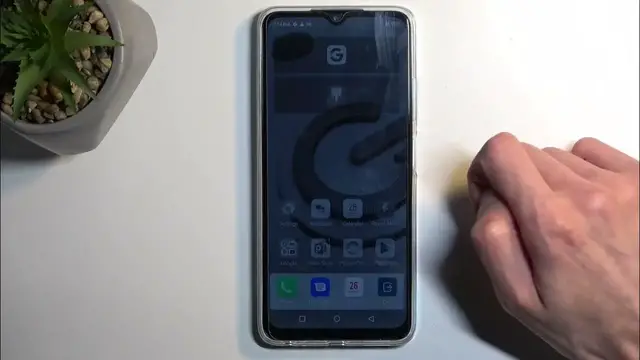
Welcome! In front of me is an Infinix Hot 30i and today I will show you how you can enable
0:05
your power saving mode on this device. So to get started you want to pull down your notifications by swiping down from the top of
0:15
your screen. Let's try that again. There we go. That's kind of what I was looking for
0:22
Once you do so, it will reveal a bunch of toggles visible right here. Now I can already see the
0:27
ultra power saving mode. Let's see if we have another one but it doesn't look like we do
0:32
So you're looking for something similar to this. So I'm going to first check if we have normal
0:36
power saving mode and we can if we do we can add it. Now we can start off by clicking right here
0:42
on this pencil and this will show us the toggles that are right now added but below that we'll
0:49
have toggles that we can add on. Though by the looks of it we don't have any normal power saving
0:55
mode accessible from here. So let's start off with I guess the power saving mode or ultra power
1:01
saving mode. Once you do so by just tapping on it it will give you this pop-up enable ultra power
1:06
saving mode. Only calls messages and calendars are available and and basically asks us if you
1:12
want to enable it. Once you do so it also gives us that location was disabled. We can turn it on
1:20
I'm just going to say select close. You can also see that the brightness of the display just went
1:24
way down and here are all the applications that we have access to. All three of them. Now compared
1:30
to some other devices that have similar kind of mode this one still retains all the applications
1:36
on the home screen and just makes it monochrome at least the background. While other devices just
1:43
remove everything and keep the background fully black. In any case once you're done with this
1:49
mode and you want to go back to the normal one you have the exit button right over here. Confirm
1:53
it and everything will revert back to its original state. I am going to quickly check if we do have
1:59
a normal power saving mode that might be useful to a wider range of people. So let's open up settings
2:06
and go to battery which doesn't seem to exist here. Let's just search for it
2:24
So it looks like we don't have anything else apart from that. So I guess that will conclude it
2:39
Now if you found this very helpful don't forget to hit like, subscribe and thanks for watching