
Get the Ultimate Audio Experience on your Xiaomi Redmi Note 12 with this Bluetooth Speaker Hack!
Jul 29, 2024

Get to know Redmi Note 12 more: https://www.hardreset.info/devices/redmi/redmi-note-12/
Hello and welcome back to our channel! Today we have something exciting for all you tech lovers out there. In this video, we'll be reviewing the Xiaomi Redmi Note 12 and showing you how to connect it to a Bluetooth speaker. So, if you're someone who enjoys listening to music on the go, this video is definitely for you.
The Xiaomi Redmi Note 12 is the latest addition to the Redmi Note series and is packed with a ton of new features. The phone boasts a 6.6-inch FHD+ display with a resolution of 1080 x 2400 pixels. The screen is bright and vibrant, making it ideal for streaming videos or playing games. It also has a 64 MP primary camera and a 16 MP front camera, which takes amazing photos and videos.
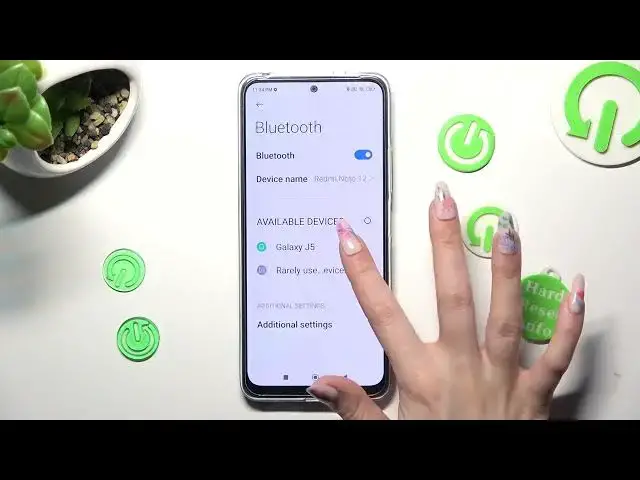
Now, let's get into the main topic of this video, which is connecting the Xiaomi Redmi Note 12 to a Bluetooth speaker. Firstly, you need to turn on the Bluetooth on your phone and the speaker. Then, on your phone, go to settings, tap on Bluetooth, and select the speaker you want to connect to. Once connected, you can start playing your favorite songs or podcasts and enjoy them in high-quality sound.
How to find Bluetooth Connection settings on a Redmi Note 12?
How to pair Bluetooth speaker with Redmi Note 12?
#xiaomi #bluetoothconnection #bluetooth
Follow us on Instagram ► https://www.instagram.com/hardreset.info
Like us on Facebook ► https://www.facebook.com/hardresetinfo/
Tweet us on Twitter ► https://twitter.com/HardResetI
Support us on TikTok ► https://www.tiktok.com/@hardreset.info
Use Reset Guides for many popular Apps ► https://www.hardreset.info/apps/apps/
Show More Show Less #Audio Equipment