
GameSir Cyclone 2 – How to Change RGB Brightness Level
May 28, 2026

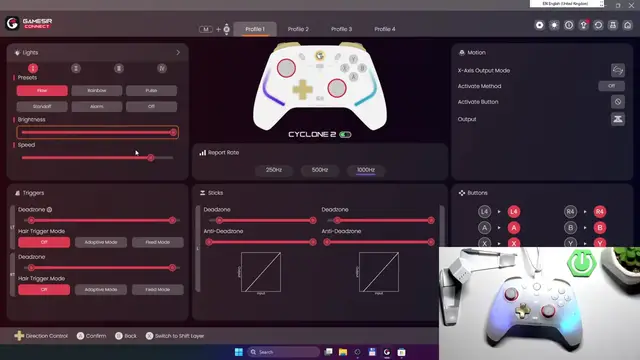
In this short video I show how to change the RGB brightness level on the GameSir Cyclone 2 controller. Using the GameSir Connect app you can quickly adjust the controller LEDs to match your setup. I open the app, go to Lights, and use the brightness slider so you can dim or brighten the RGB lighting for gaming, streaming, or saving battery. This is the fastest way to control LED intensity on GameSir Cyclone 2 with GameSir Connect on Android or iPhone.
How to change RGB brightness on GameSir Cyclone 2?
How to adjust LED brightness on GameSir Cyclone 2 with GameSir Connect app?
Where is the Lights setting in GameSir Connect for GameSir Cyclone 2?
0:00 Introduction
0:05 What you need (GameSir Cyclone 2 + GameSir Connect)
0:12 Open GameSir Connect app
0:23 Go to the Lights section
0:25 Adjust the Brightness slider
0:30 Final tips and wrap up
#GameSir #GameSirCyclone2 #RGB #ControllerLighting
Find out more:
https://www.hardreset.info/devices/gamesir/gamesir-cyclone-2/
Follow us on Instagram ► https://www.instagram.com/hardreset.info
Like us on Facebook ► https://www.facebook.com/hardresetinfo/
Show More Show Less #Science