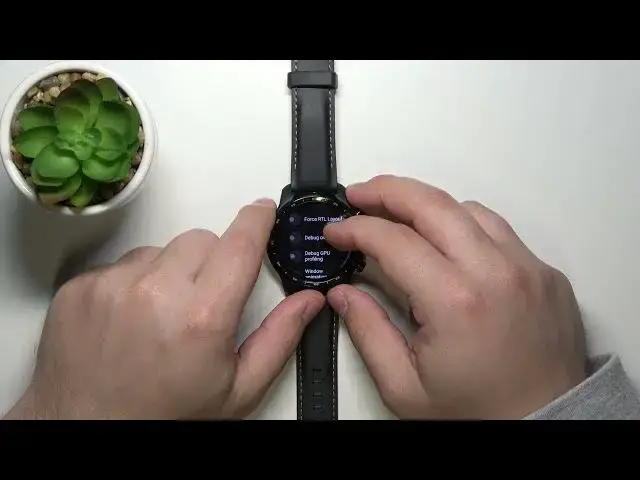

Developer Options on MOBVOI TicWatch Pro 3 – Allow Developer Features
Jul 8, 2024

Learn more info about MOBVOI TicWatch Pro 3 GPS: https://www.hardreset.info/devices/mobvoi/mobvoi-ticwatch-pro-3-gps/
Not really sure how to activate developer options in MOBVOI TicWatch Pro 3? Wondering to check out how to get access to the developer features available in MOBVOI TicWatch Pro 3? We are coming with the tutorial, where we teach you how to enable developer options in MOBVOI TicWatch Pro 3. If you need to use developer options in your Mobvoi device, find out attached instructions and learn how to get access to the dedicated for TicWatch developer features. Let’s follow the presented tutorial and enable developer settings in your Mobvoi device. Visit our HardReset.info YT channel and get more tutorials for MOBVOI TicWatch Pro 3.
How to activate Developer Options in MOBVOI TicWatch Pro 3? How to enable Developer Settings in MOBVOI TicWatch Pro 3? How to unlock OEM in MOBVOI TicWatch Pro 3? How to enable USB Debugging in MOBVOI TicWatch Pro 3? How to allow MOBVOI TicWatch Pro 3 OEM to be unlocked? How to enable OEM unlocking in MOBVOI TicWatch Pro 3?
#DeveloperOptions #DeveloperFeatures #MOBVOITicWatchPro3
Follow us on Instagram ► https://www.instagram.com/hardreset.info
Like us on Facebook ► https://www.facebook.com/hardresetinfo/
Tweet us on Twitter ► https://twitter.com/HardResetI
Support us on TikTok ► https://www.tiktok.com/@hardreset.info
Use Reset Guides for many popular Apps ► https://www.hardreset.info/apps/apps/
Show More Show Less