0:00
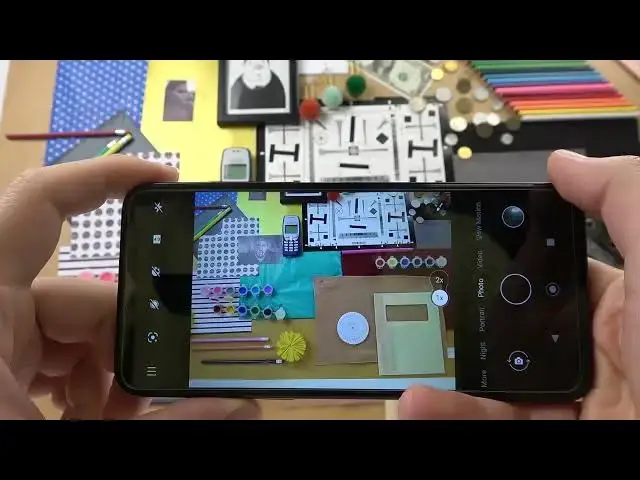
Welcome guys, so today I am with Nokia G11 and I want to show you a couple of cam metrics
0:12
At the first we are going to start from the standard photo mode, so when you click on
0:16
the screen you will get this sun icon and you are able to decrease or increase brightness level
0:23
This option also works in the other modes, like for example in the portrait mode or video mode
0:33
You can make it automatically by tapping once on the screen. When we are in the photo mode we are also able to use zoom feature
0:43
As you can see we can go between 1x and 2x, but when you click on already selected preset
0:50
you are able to go for more zoom features. As you can see we can zoom in to 6x and we can make it with this slider
1:05
Another option that you can find right here, when you click here you can enable the beautify
1:10
mode, also with the slider like the zoom feature, and when you tap right here you can enable
1:16
camera timer between 3 or 10 seconds and when you click on the screen, on the shutter
1:23
the photo will be taken. You can also turn it off by unselected any of the option
1:32
When you click on the volume up or volume down you are able to take photos, so it works
1:40
like this shutter right here. When you click and hold this button you are able to record video and you are able to zoom
1:50
in and zoom out with the slider, just like that. You can also take photos while recording video by tapping on this button above the pause
2:00
and play right here. To finish the video you have to click in this place and right now we can open this settings option
2:13
As you can see right here we are able to change this shutter feature, so currently when we
2:19
long press we can take video quickly but we can also switch to the burst shot
2:25
Right now when you click and hold we are going to take series of the photo
2:31
Ok, and right now we can also enable the camera watermark
2:43
As you can see there is like personal message that we can add
2:52
There is also device information and the theme of the watermark. To select everything and take photo as you can see the watermark is right here at the
3:04
left bottom corner and that's how it looks on the photo. As you can see we can find it on the left bottom corner
3:11
Ok, and honestly it's all for this Nokia G11. I hope you find this video helpful
3:19
Remember to leave a like, comment and subscribe. Thank you