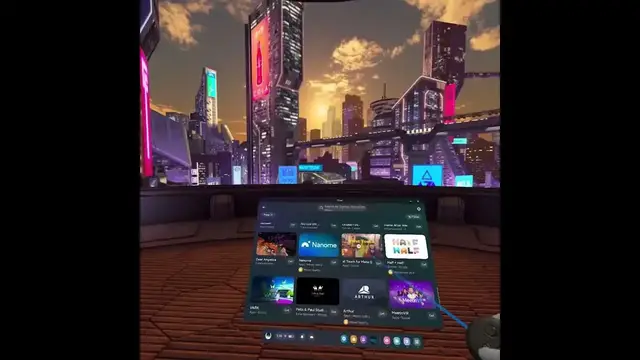

How to Get Free Games for Your Oculus META Quest 3 VR Headset - A Comprehensive Guide
Jan 18, 2024

Find out more: https://www.hardreset.info/devices/meta/meta-oculus-quest-3/
In this guide, we'll explore how to discover a variety of free Oculus Quest games, whether you have the latest Quest 3 or an earlier model like Quest 2 or Quest 1. Our aim is to help you build an impressive VR gaming library without breaking the bank.
Navigating to the Oculus Store:
To begin your quest for free VR games, you'll need to access the Oculus Store on your headset. However, finding free games can be a bit challenging as they might not be prominently featured.
Applab and Beta Testing:
A substantial portion of free Oculus Quest games falls under the "Oculus Applab" category. Oculus Applab serves as a platform for beta testing VR games, and some of these games are available for free, while others may require payment.
Leveraging the Browser:
The Oculus Quest browser is a powerful tool for finding free Oculus Applab games. Using the browser, you can conduct a targeted Google search specifically for Oculus Applab games, ensuring that you're presented with the most relevant results.
Discovering the Meta Link:
Once in the browser, perform a Google search for "Oculus Applab." Your search should lead you to the Meta link, which is your gateway to a list of these games.
Exploring the Game List:
Upon opening the Meta link, you'll find an extensive list of Oculus Quest games. While some are free, others may come with a price tag. To filter for the free games, look for the "free" option.
Keep an Eye Out:
It's important to be aware that not all Oculus Applab games are entirely free. Some may be promoted as free but could have limitations or may not qualify as completely free. Pay attention to any exceptions.
Dealing with Demos:
When searching within the Oculus Store, you might encounter numerous game demos. These demos are not our focus as they are typically not complete games. We're looking for full, free gaming experiences.
Precision with the Browser:
The reason we prefer using the browser is its precision in searching for Oculus Applab apps. The Oculus Store might not always display these games prominently, so using the browser ensures you don't miss out.
Notable Choices:
It's worth noting that while some Oculus Applab games may still be in development, many are in a playable state with impressive polish. Titles like "Ancient Dungeons" offer a great gaming experience.
The Pavlov Example:
To illustrate the effectiveness of this method, let's consider the popular VR game, Pavlov. While you might find it as a paid version in the Oculus Store, following our guide will enable you to access the beta version through Oculus Applab.
Conclusion:
By following these steps, you can unlock a world of free Oculus Quest games. Whether you own a Quest 3, Quest 2, or Quest 1, this method allows you to expand your VR gaming library without spending a dime. We hope this guide has been helpful in your quest for free VR gaming adventures. Enjoy your gaming journey!
Follow us on Instagram ► https://www.instagram.com/hardreset.info
Like us on Facebook ► https://www.facebook.com/hardresetinfo/
Tweet us on Twitter ► https://twitter.com/HardResetI
Support us on TikTok ► https://www.tiktok.com/@hardreset.info
Use Reset Guides for many popular Apps ► https://www.hardreset.info/apps/apps/
#metaquest3 #oculus #freegames
Show More Show Less