Up next in 10

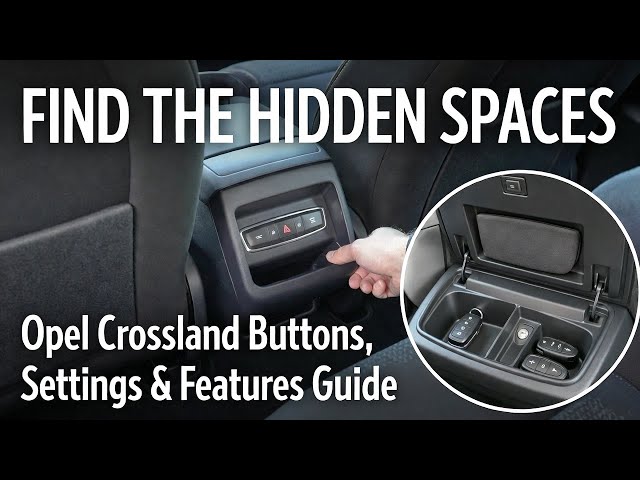
Opel Crossland (2017–Now) – Hidden Buttons, Settings & Daily Features You Should Know
Jan 16, 2026

In this Opel Crossland (2017–now) tutorial compilation, you’ll learn the most useful everyday functions and where to find them fast. I show how to control the radio from the steering wheel, change radio source, tune frequency manually, update the station list, set presets, and adjust the equalizer (bass, mid, treble). You’ll also see key driving and safety features like cruise control, speed limiter, lane departure warning, auto lights, high beam, fog lights, and start-stop/traction control. Plus, practical basics like USB port location, power outlet location, reverse gear, tire pressure reset (TPMS), wipers and washers, rear window heating, and climate control menu settings (AUTO, AC, SYNC, airflow direction, temperature, max defrost). If you want Opel Crossland tips, settings, and quick “how to” help, this video covers it all.
How to reset tire pressure monitor (TPMS) on Opel Crossland (2017–now)?
How to use cruise control and speed limiter on Opel Crossland (2017–now)?
How to change radio station, presets, and radio source on Opel Crossland (2017–now)?
0:00 Control radio from steering wheel (volume, mute, source)
0:40 Steering wheel buttons overview (radio, calls, voice assistant, cruise/limiter)
1:31 Navigate instrument cluster (trip info, speed, fuel, reset Set/Clear)
2:26 Reset tire pressure monitor (TPMS button)
3:07 Engage reverse gear (manual gearbox)
3:39 AC on/off (climate panel)
4:05 Cruise control setup and controls
4:51 Low beam / headlights on/off (light switch)
6:35 Position lights on/off
7:02 Fog lights (front + rear) on/off
7:38 Sync climate control (airflow/temperature sync)
8:12 Front wipers modes (auto, low, high)
8:55 Rear wiper modes (auto, constant)
9:30 Manual radio tuning (Tune)
10:01 Max front windshield defrost / blowing
10:34 Power outlet location (12V socket)
11:03 Equalizer and tone settings (bass/mid/treble + presets)
11:35 RDS on/off
12:04 Radio on/off + volume knob
12:34 Rear washer (rear sprinklers)
13:06 Save radio station to preset
13:44 Traffic Program (TP) on/off
14:15 Auto climate control (AUTO) on/off
14:48 Adjust fan speed / airflow power
15:42 Climate control menu (mode, AC, sync, temp, direction)
16:19 Change temperature (dual-zone)
16:57 Reset average speed (Trip 1 / Trip 2)
17:26 Change radio band (FM/AM)
17:56 Digital speedometer on instrument cluster
18:25 Change radio station (presets, skip, manual tune)
19:00 Find odometer (total mileage)
19:33 Current fuel consumption screen
20:06 Lock/unlock all doors (center button)
20:38 Auto lights and light switch functions
21:14 Lane departure warning (enable/disable button)
21:57 Window child lock on/off
22:30 Interior air recirculation on/off
23:01 Auto wipers on/off + sensitivity
23:35 Rear window heating on/off
25:08 Speed limiter (activate, adjust, pause)
25:49 Start-stop on/off (button)
26:25 Traction control / ESP off (press/hold)
27:06 Reset average fuel consumption (Trip 1 / Trip 2)
27:36 Reset trip info (Trip 1 / Trip 2, 00 reset)
28:13 Station list (find/update)
28:47 USB port location
29:16 Adjust side mirrors position
29:50 Auto volume setting (speed-dependent volume)
30:19 Airflow direction (climate menu)
30:50 Auto climate mode intensity
31:25 Change EQ preset (Rock/Pop/Jazz/Talk/Custom)
32:00 Headlamp leveling (0–3)
32:38 Instrument cluster brightness up/down
33:15 Change radio source (AM/FM/USB/Bluetooth)
33:42 Adjust steering wheel height and reach
34:19 Check range (distance to empty)
34:48 High beam on/off + flash
#OpelCrossland #OpelTips #CarSettings #CarTutorial
Show More Show Less View Video Transcript
0:00
So today I'm in Opel Crossland. In this video I'll show you
0:06
how to manage radio via steering wheel.
0:16
In the beginning take a look at the right side of steering wheel. Right here we've got the panel thanks to which we
0:23
can change radio volume or mute radio. We can change radio
0:29
station and radio source. If you find this video
0:35
helpful, please like, comment, and subscribe.
0:41
Today I'm in Opel Crossland. In this video, I'll show you how to manage steering wheel buttons.
0:49
In the beginning, take a look at the right side of the steering wheel. Right here, we've got the panel next to which
0:54
we can manage radio volume. We can change radio station. We can mute or
1:00
unmute radio. We can change radio source. And we can answer and calls and
1:06
activate voice assistant. On the left side, we've got the panel thanks to which we can activate cruise control,
1:13
can pause it and activate speed limiter. We can memorize cruise control and speed
1:19
limiter. And you can adjust speed limiter and cruise control speed. Of course, if you press right here, you
1:25
will use horn. If you find the video helpful, please like, comment, and subscribe.
1:32
Hello. Today I'm in Opel Crossland. In this video, I'll show you how to navigate through instrument cluster
1:37
display.
1:44
In the beginning, take a look behind instrument behind steering wheel. Right here, we've got this lever. On the top
1:50
of the lever, we've got set clear button. Below we've got this twisting knob
1:56
twisted to navigate through instrument cluster. Here you can find average fuel consumption
2:03
and range. Next you can enter dual speedometer.
2:10
Check average speed, current fuel consumption, trip info [music] for trip one and trip two. To reset it
2:17
present hold set clear button. If you find this video helpful, please
2:23
like, comment, and subscribe. Hello. In front of me, I've got Opel
2:29
Crossland. [music] In this video, I'll show you how to reset tire pressure monitor system.
2:40
In the beginning, take a look in the center of the car. Above gearbox shifter, we've got this
2:47
panel. Firstly, make sure that tire pressure is correct for each tire and then press and hold this button.
2:55
Tire pressure are registered. If you find this video helpful, please like,
3:00
comment, and subscribe. In front of me, I've got Opel Crossland.
3:07
In this video, I'll show you how to put on reverse gear.
3:15
To put on reverse gear in this car, press brake and clutch.
3:20
Now push the gearbox shifter right and downwards.
3:26
Reverse is now set. If you find this video helpful, please
3:32
like, comment, and subscribe. Hello. Today I'm in Proand. In this
3:39
video, I'll show you how to enable disable AC.
3:47
In the beginning, take a look in the center of the car. Right here, we've got the climate control panel. To enable AC,
3:53
simply press knob on the right side. Press it again to disable it.
3:59
If you find this video helpful, please hit like, comment, and subscribe.
4:06
Hello. Today I'm ineland. In this video, I'll show you how to
4:11
manage cruise control.
4:17
In the beginning, take a look at the left side of the steering wheel. Right here, we've got the panel next to which we can activate cruise control. First,
4:24
you accelerate to desired speed and press cruise control button. Now, press
4:30
set button. Now, you can let the acceleration pedal go. Push this button upwards to increase speed, downwards to
4:37
decrease speed. Pause button to pause and press this button again to disable
4:43
cruise control. If you find this video helpful, please like, comment, and subscribe.
4:51
Today I'm in Opel Crossland. In this video, I'll show you how to enable and disable DB beam.
5:01
In the beginning, take a look behind left side of the steering wheel. Right here, we've got this funnel. To enable
5:08
deep beam, push the knob twice to the right side. The beam is now enabled. To disable it, set it to position or auto
5:14
lights. If you find this video helpful, please like, comment, and subscribe.
5:23
Hello. Today I'm in Opeland. In this video, I'll show you how to use front sprinklers.
5:33
In the beginning, take a look behind right side of the steering wheel. Right here, we've got this lever to activate
5:38
front speakers. Pull the lever and hold. Let the lever go to disable this
5:45
function. If you find video helpful, please leave like, comment, and subscribe.
5:53
Hello. In front of me, I've got Opel croissant. In this video, I'll show
5:58
you how to update radio stations list.
6:09
In order to update radio station list, take a look at the screen display and next go to audio menu and select station
6:17
list. The station will update automatically if there are no stations. If there are stations, go to station
6:23
list and select update stations from the top of the list. If you find this video helpful, please
6:29
like, comment, and subscribe. Hello, today I'm in Opel Crossland. In
6:36
this video, I'll show you how to enable position lights.
6:43
In the beginning, take a look behind left side of the steering wheel. Right here, we've got this panel. To enable
6:49
position lights, push this panel once to the right side. To disable it, set it to auto lights. If
6:56
you find this video helpful, please leave like, comment, and subscribe.
7:02
Hello. Today I'm in Opel Crossland. In this video, I show you how to enable disable fog lights.
7:12
In the beginning, take a look behind left side of the steering wheel. Right here, we've got this panel to enable fog lights. First, enable the beam. And now
7:19
press button on the top of the knob for front fls and on the bottom for rear fog
7:26
lights. You can see that fog lights are enabled by this icons right here. Press them again to disable this function. If
7:32
you find this video helpful, please leave like, comment, and subscribe.
7:39
In front of me, I've got Opel cross. In this video, I'll show you how to synchronize airflow.
7:49
In the beginning, take a look in the center of the car and go to airflow menu. To sync air flow, simply press
7:56
this button. Now climate control is synchronized. To the synchronize, change
8:01
temperature for the passenger. If you find this video helpful, please like, comment, and subscribe.
8:10
Hello. Today I'm in Opel Cross. In this video, I'll show you how to use front
8:16
wipers.
8:22
In the beginning, take a look behind right side of the steering wheel. Right here, we've got this lever. To activate front wipers, push the lever downwards
8:30
to use them once. Push it upwards to use them in auto mode that you can also adjust
8:36
by twisting this part of the lever. Again, upwards to use them in low mode.
8:42
and again to use them in high mode. To disable for wiper, set it to off position. If you find this video
8:48
helpful, please leave like, comment, and subscribe.
8:53
Today I'm in Opel Cross. In this video, I'll show you
8:59
how to use rear wiper.
9:05
To activate rear wiper, take a look behind right side of the steam wheel. Right here, we've got this lever.
9:11
Twist this part of the lever upwards to use rear wiper in auto mode and again
9:17
upwards to use them in constant mode. To disable re wiper, set it to off
9:23
position. If you find this video helpful, like, comment, and subscribe.
9:31
Hello. Today I'm in Opel Cross. In this video, I'll show you how to change radio
9:36
frequency manually.
9:43
To manually tune the radio, take a look at the screen display. Go to radio and
9:49
tap tune. Now you can tune radio manually.
9:55
If you find this video helpful, please leave like, comment and subscribe.
10:02
Hello. Today I'm in ael cross land. In this video, I'll show you how to enable
10:07
max front windshield blowing.
10:14
In the beginning, take a look in the center of the car. Right here, we've got the climate control panel. To enable max
10:20
blowing, simply press max button. Press it again to disable this function.
10:27
If you find this video helpful, please leave like, comment, and subscribe.
10:34
Hello. In front of me, I've got Opel Crosslet. In this video, I'll show you
10:39
where is the power outlet.
10:46
To find power outlet in your car, take a look in the center of it. Power outlet is located right here. Thanks to power
10:53
outlet, you can connect charger or dash cam to your car. If you find this video
10:58
helpful, please leave like, comment, and subscribe.
11:04
Hello. Today I'm in Opel Crossland. In this video, I'll show you how to enter manage equalizer.
11:15
In the beginning, take a look at the screen display and next go to audio and
11:20
menu. Enter tone settings. And here you can adjust bus, mid-range, and treble.
11:26
You can also change equalizer preset. If you find this video helpful, please like, comment, and subscribe.
11:36
Hello. Today I'm in Croant. In this video, I'll show you how to enable and disable RDS function for radio.
11:48
In the beginning, take a look at the screen display. And next, go to audio menu. Scroll down
11:56
and switch this button. If you find this video helpful, please hit like, comment, and subscribe.
12:04
Hello. Today I'm in Opeland. In this video, I'll show you how to turn radio on and off and how to change radio
12:11
volume.
12:17
In the beginning, take a look at the screen display. Press and hold this button to turn system on or off. To
12:24
change volume, twist this knob. If you find this video helpful, please
12:29
leave like, comment, and subscribe.
12:34
Today I'm in Opel Crossland. In this video, I show you how to use rare sprinklers.
12:44
In the beginning, take a look behind right side of the steering wheel. Right here, we've got this lever. To activate
12:50
your skin, push this lever forward and hold.
12:55
Let the lever go to disable this function. If you find this video helpful, please leave like, comment, and
13:01
subscribe. Hello. Today I'm in
13:06
Opel Crossland. In this video, I'll show you how to assign radio station to preset.
13:16
In the beginning, take a look at the screen display. Go to radio and now tune radio manually
13:24
or select radio station.
13:31
Then press and hold button on the presets to assign it.
13:37
If you find this video helpful, please leave like, comment and subscribe.
13:44
Hello. Today I'm in Apple Crossland. In this video, I'll show you how to enable inable TP function 4 radio.
13:56
In the beginning, take a look at the screen display. Now go to menu and audio.
14:02
Switch this button to enable or disable traffic program.
14:09
If you find this video helpful, please leave like, comment, and subscribe.
14:15
Hello. Today I'm in Opel Cross. In this video, I'll show you how to use auto climate control.
14:25
To activate automatic climate control, take a look in the center of the car. Right here, we've got the climate
14:30
control panel. Simply press auto button to enable it.
14:36
To disable it, change airflow power. If you find this video helpful, please
14:41
like, comment, and subscribe. Hello. Today I'm in Appel Crossland. In
14:48
this video, I'll show you how to change airflow power.
14:55
In the beginning, take a look in the center of the car. Right here, we've got the climate control panel. To change
15:01
airflow power, twist this knob.
15:08
If you find this video helpful, please leave like, comment, and subscribe.
15:14
Hello. Today I'm in Opel Crossland. In this video, I'll show you how to change airflow power.
15:24
In the beginning, take a look in the center of the car. Right here, we've got the climate control panel. To adjust air
15:30
power, twist knob in the middle. If you find the video helpful, please
15:37
hit like, comment, and subscribe. Hello today I'm in Opel Rosland. In this
15:45
video I'll show you how to enter climate control menu.
15:54
In the beginning take a look at the climate control panel and press menu button. In climate control menu you can
16:02
manage climate control mode. AC. You can sync
16:07
air flow, change airflow temperature, airflow power, and airflow direction.
16:12
If you find this video helpful, please leave like, comment, and subscribe.
16:19
Today I'm in Opel Cross. In this video, I'll show you how to change airflow
16:24
temperature.
16:30
In the beginning, take a look in the center of the car. Right here, we've got the climate control panel. To change airflow
16:37
temperature, twist right or left knob since this car has
16:44
dual zone climate control. If you find this video helpful, please
16:49
leave like, comment, and subscribe. Today, I'm in Opel Crossland. In this
16:57
video, I'll show you how to find and reset average speed.
17:06
In the beginning, take a look at the instrument cluster and navigate through it via this lever.
17:12
Average speed is located in trip one and trip two. To reset it, press and hold set clear button.
17:20
If you find this video helpful, please like, comment, and subscribe.
17:27
Hello. Today I'm in Opel Rosland. In this video, I'll show you how to change
17:32
radio band.
17:40
To change radio band, take a look at the screen display. Now go to radio and source. You can select between FM and
17:47
AM. If you find this video helpful, please leave like, comment, and subscribe.
17:56
Today I'm in Opel Crossand. In this video, I'll show you how to find digital speedometer.
18:06
To enter digital speedometer, take a look at the instrument cluster and tilt this part of the lever upwards.
18:14
Digital speedometer is located here. If you find video helpful, please hit like,
18:19
comment, and subscribe. Hello. Today I'm in Opel Crossland. In
18:26
this video, I'll show you how to change radio station.
18:33
In the beginning, take a look at the screen display. Go to radio and now you can select radio
18:38
station from preset saved here. You can skip to next or previous radio
18:45
station or you can tune radio manually.
18:54
If you find the video helpful, please hit like, comment, and subscribe.
19:01
Hello. Today I'm in Opel Crossland. In this video, I'll show you how to find
19:09
autoometer.
19:15
To check autometer, take a look at the instrument cluster. Autometer is always located right here in the bottom left
19:20
corner. Autometer is total mileage of your car. If you find this video helpful, please like, comment, and
19:27
subscribe. Hello. Today I'm in
19:34
Popel Cross. In this video, I'll show you how to find current fuel consumption.
19:45
To check current fuel consumption, take a look at the instrument cluster.
19:51
Tilt this part of the lever upwards. And current fuel consumption is located
19:56
right here. If you find this video helpful, please leave like, comment, and subscribe.
20:06
In front of me, I've got Opel Crossland. In this video, I'll show you how to lock and unlock all the doors.
20:18
In the beginning, take a look in the center of the car. To lock all the doors, simply press this button. Press
20:25
it again to unlock the doors. If you find this video helpful, please leave like, comment, and subscribe.
20:35
In front of me, I've got Opel Crossland. In this video, I'll show you how to enable and disable auto lights.
20:48
In the beginning, take a look behind left side of the steering wheel. Right here, we've got this panel.
20:54
Push this knob left to enable auto lights. To enable position lights, push it right. And to
21:01
enable the beam again post shoot right. If you find this video helpful please like comment and subscribe.
21:10
Hello. In front of me I've got a cross land. In this video I'll show
21:16
you how to enable lane sense and how to disable it.
21:25
Lane departure warning system is enabled by default. To disable it, take a look
21:31
in the center of the car. Right here, we've got this panel. Press this button and lane departure is disabled.
21:39
Press again to enable it back. To disable this function, you have to
21:45
press and hold this button.
21:51
If you find this video helpful, please like, comment, and subscribe.
21:57
Today, I'm in Opel, Greenland. In this video, I'll show you how to enable child lock for Windows.
22:07
In the beginning, take a look at the driver's doors. Right here, we've got this panel. To enable child lock for
22:12
Windows, simply press this button. Now, only driver can lower and rise side
22:18
windows. Press the button again to disable this function. If you find this video helpful, please leave like,
22:24
comment, and subscribe. Hello. Today I'm in Opel Crosant. In
22:30
this video, I'll show you how to enable interior airflow circulation.
22:38
To activate interior airflow circulation, take a look in the center of the car.
22:44
Right here, we've got the climate control panel. Simply press this button to enable this function. Press again to
22:50
disable it. If you find this video helpful, please like, comment, and
22:56
subscribe. Hello. Today I'm in Opel Crossland. In
23:02
this video, I'll show you how to activate auto wipers.
23:10
In the beginning, take a look behind right side of the steering wheel. Right here, we've got this lever. To activate
23:16
auto wipers, push the W push the lever once upwards. Auto wipers are now
23:21
enabled. You can now [music] change intensity by twisting this part of the lever. To disable it, set it to of
23:28
position. If you find this video helpful, please leave like, comment, and subscribe.
23:35
Hello. Today I'm in Opel Crossland. In this video, I'll show you how to enable rear windshield heating.
23:47
To enable rear windshield heating, take a look in the center of the car. Right here we've got the climate control panel. Simply press rear button to
23:54
enable this function. Once again, to disable it, make sure that the car is running to use this
23:59
function. If you find this video helpful, please like, comment, and subscribe.
24:07
Hello. Today I'm in Opel Crossland. In this video, I'll show you how to enable rare windshield heating.
24:19
To enable rear windshield heating, take a look in the center of the car. Right here, we've got the climate control panel. Simply press rear button to
24:26
enable this function. Once again, to disable it, make sure that the car is running to use this
24:32
function. If you find the video helpful, please like, comment, and subscribe.
24:39
Hello. In front of me, I've got Opel Crossland. In this video, I'll show you how to enable disable regal function for
24:46
radio.
24:52
To enable regal function for radio, take a look at the skin display. [music] Go to menu and audio menu. Scroll down and
25:00
switch this button. If you find this video helpful, please leave like, comment, and subscribe.
25:09
Today I'm in Opeland. In this video, I'll show you how to manage speed limiter.
25:17
In the beginning, take a look at the left side of the spin steering [music] wheel. Right here, we've got this button, thanks to which we can activate
25:24
speed limiter. Now, push this lever downwards to activate speed limiter or
25:29
to deactivate it. Press pause button to pulse or activate it.
25:35
Push it upwards or downwards to change speed limit. And push this button again
25:40
to disable speed limiter. If you find this video helpful, please leave like, comment, and subscribe.
25:49
In front of me, I've got Opel Crossland. In this video, I'll show you how to disable start stop system.
26:01
Start stop system is enabled in this car by default. Even to disable, let's take a look in the center of the car. Right
26:07
here, we've got this panel. Simply press this button and start stop is disabled.
26:12
Press again to enable it back. Fortunately, this function cannot be disabled permanently.
26:19
If you find this video helpful, please leave like, comment, and subscribe.
26:25
Hello. Today I'm in Opel Crossland. In this video, I'll show you how to turn traction control off.
26:37
To turn traction control off, take a look in the center of the car. Right here, we've got this panel. Press
26:44
and hold this button. Press this button to disable ESP. Press and hold to disable ESP and stabilization system.
26:54
Press it again to enable traction control button. If you find this video helpful, please like, comment, and
27:00
subscribe. Hello. Today I'm in Opel Crossland. In
27:06
this video, I'll show you how to find and reset average fuel consumption.
27:14
In the beginning, take a look at the instrument cluster and navigate through it via this knob.
27:20
Our fuel consumption is located on trip one and trip two. To reset it, press and
27:25
hold set clear button. If you find this video helpful, please
27:31
like, comment, and subscribe. Today I'm in Opel Crossland. In this
27:38
video, I'll show you how to find and reset trip info.
27:48
In the beginning, take a look at the instrument cluster and navigate through it via this button. Trip info is located
27:54
in trip one and trip two. To reset it, press and hold set clear
27:59
button. To reset current trip info, press and hold 00 button.
28:07
If you find the video helpful, please leave like, comment, and subscribe.
28:13
Hello. Today I'm in Opel Croissant. In this video, I'll show you how to
28:19
find radio station list.
28:26
In the beginning, take a look at the screen display. Go to radio and go to menu. Enter station list
28:35
and the stations are available here. If there are no station list, you have to update them. If you find this video
28:42
helpful, please like, comment and subscribe.
28:47
Hello. Today I'm in Opel Crossland. In this video, I'll show you where is the USB port.
28:58
To find USB port in your car, take a look in the center of the car. USB port is located right here. Thanks to USB
29:05
port, you can connect your car directive to smartphone to listen to music, answer calls, and more. If you find the video
29:12
helpful, please like, comment, and subscribe.
29:17
Hello. Today I'm in Opel, Greenland. In this video, I'll show you how to adjust mirrors position.
29:27
In the beginning, take a look at the driver's doors. Right here, we've got this switch. Push it left or right to
29:33
select side mirror and then push arrows on the panel above to adjust the
29:38
position. If you find this video helpful, please
29:43
like, comment, and subscribe. Hello. Today I'm ineland.
29:50
In this video, I'll show you how to set auto volume.
29:59
In the beginning, take a look at the screen display and next go to audio and
30:05
menu. Enter out volume and set between off, low, mid low, mid, mid high, and
30:11
high. If you find this video helpful, please leave like, comment, and
30:16
subscribe. Hello. In front of me, I've got a
30:22
crossand. In this video, I'll show you how to change airflow direction.
30:32
In the beginning, take a look in the center of the car. And to change airflow direction, go to climate control menu
30:38
and select between bottom, front, and front windshield.
30:43
If you find the video helpful, please like, comment, and subscribe.
30:50
Hello. Today I'm in Opel Rosland. In this video I'll show you how to change autoclimate control mode
31:02
in the beginning. Take a look in the center of the car. Now go to climate control menu and set auto.
31:11
Press auto mode to change intensity.
31:19
If you find this video helpful, please like, comment, and subscribe.
31:26
Hello. Today I'm in Opel Cross. In this video, I'll show you how to change equalizer preset.
31:36
In the beginning, take a look at the screen display. And next, go to audio menu and tone settings. You can change
31:44
the guiser preset from the bar at the bottom of the screen. You can select classical, country, pop, jazz, rock,
31:50
talk, and custom. If you find this video helpful, please like, comment, and
31:55
subscribe. Hello. Today I'm in a crossand. In this
32:00
video, I'll show you how to change pedam position.
32:08
In the beginning, take a look behind the left side of the steering wheel. Right here, we've got this panel. To
32:14
change head lamps position, twist this knob between mode zero, one, two, and three, where zero is the highest level.
32:23
You can see headlamps position changed right here.
32:32
If you find this video helpful, please leave like, comment, and subscribe.
32:38
Hello. In front of me, I've got Opel Crossland. In this video, I'll show you how to change instrument cluster
32:44
brightness level.
32:50
In the beginning, take a look behind left side of the steering wheel.
32:56
Right here, we've got this panel. To change instrument brightness cluster brightness level, push this knob upwards
33:02
to increase the brightness level or downwards to decrease it. If you find this video helpful, please
33:08
leave like, comment, and subscribe. Hello, today I'm in Opel Crosa. In this
33:16
video, I'll show you how to change radio source.
33:23
In the beginning, take a look at the screen display. Now go to radio and source. Here you can
33:29
select AM, FM, USB, and Bluetooth. If you find this video helpful, please
33:36
like, comment, and subscribe. Today I'm ineland.
33:42
In this video I'll show you how to change steering wheel position.
33:53
To change steering wheel position, take a look under the steering wheel. Right here on the back, we've got the lever we
34:00
have to pull. Now you can change steering wheel height and the distance. Push the steering wheel. Push the lever
34:08
to lock the steering wheel position. If you find this video helpful, please leave like, comment, and subscribe.
34:16
Hello. Today I'm in a closet. In this video, I'll show you how to find range.
34:27
In the beginning, take a look at the instrument cluster and navigate through it via this knob. Tilt it upwards until
34:36
you see this menu. and the range is located here. If you find this video helpful, please like, comment, and
34:43
subscribe. Hello, today I'm in Opel, Crossland. In
34:48
this video, I'll show you how to enable and disable high beam.
34:59
In the beginning, take a look behind the left side of the steering wheel. Right here, we've got this panel. To enable high beam, first enable the beam. And
35:06
now push this lever forward to enable high beam constantly. Again push it to disable it
35:14
and pull like this to blink high beam. If you find this video helpful,
35:21
please like, comment and subscribe.
Autos & Vehicles
Autos & Vehicles
Vauxhall-Opel