0:00
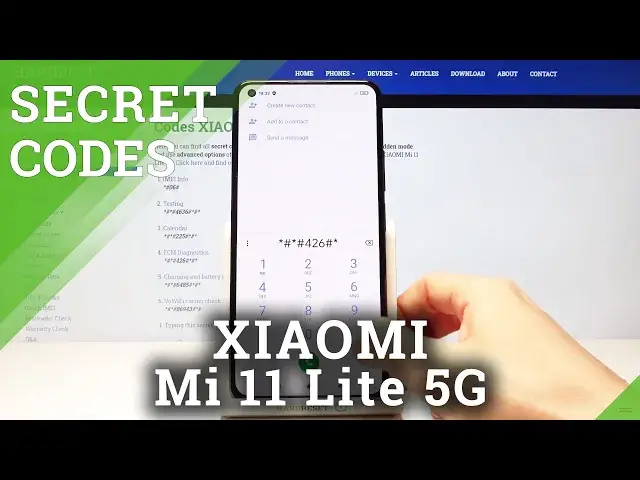
In front of me is Xiaomi Mi 11 Lite 5G and let me show you some of the secret codes that
0:11
you can use on this device. So first of all, you need to open your phone dialer as we'll be entering those codes right
0:17
here and let me start with the first code which is asterix pound asterix pound six four
0:25
eight five four not one six four eight five pound asterix pound asterix and here we've
0:32
got charging and battery info so if you'd like to access those info just enter this
0:38
code and you'll be provided with details right here as you can see you can see everything
0:44
just wait a couple of seconds so it is displayed let me go back then that will be all for this
0:51
one and now we can enter FCM diagnostic mode by entering asterix pound asterix pound four
0:58
to six pound asterix pound asterix and as you can see now we are in diagnostic mode
1:06
where you can check events and also status and if you would like to enroll advanced view
1:11
tap on more and select advanced and here you've got way more details so this is it let's go
1:17
back another code that you can use here as a calendar info just enter asterix pound asterix
1:23
pound double to five pound asterix pound asterix and here we've got the calendar info so all
1:30
event celebrations any days that you've got in your calendars will be displayed right
1:35
here smoothly enter it and then it will be provided with the upcoming events and now
1:40
we can also open testing mode performed by Google to do it just press asterix pound asterix
1:46
pound again four six three six pound asterix pound asterix well pound asterix pound asterix
1:56
and here we've got the testing mode where you can check phone info and also Wi-Fi information if you
2:02
reach a phone info you will be able to check email number phone number current network signal strength
2:08
and so on if you scroll down a bit you can also perform a ping test here just click here and right
2:15
here you've got details so this is it and under Wi-Fi information you can find Wi-Fi APA Wi-Fi
2:22
configuration and also status of your network so just press it here to check this able network
2:28
disconnected network enable networks configured networks and the whole connection info then
2:33
under Wi-Fi configuration you will be able to check all configured networks as you can see I
2:38
have none right now and then if you click on Wi-Fi status just refresh it to check it and
2:44
this panel also allows you to run a ping test just mark it here and below you've got the results so
2:50
this is it about this testing mode and the last code that I would like to share with you is a
2:56
pretty quick and easy also very useful one it's asterix pound of six pound and this one will
3:02
provide you with email and serial number assigned to your device so here we've got the device
3:06
information and tap on OK to close it so this is it and that would be all and these are secret
3:12
codes that you can use in your Xiaomi light 5g thank you for watching please subscribe our channel
3:17
and leave the thumbs up