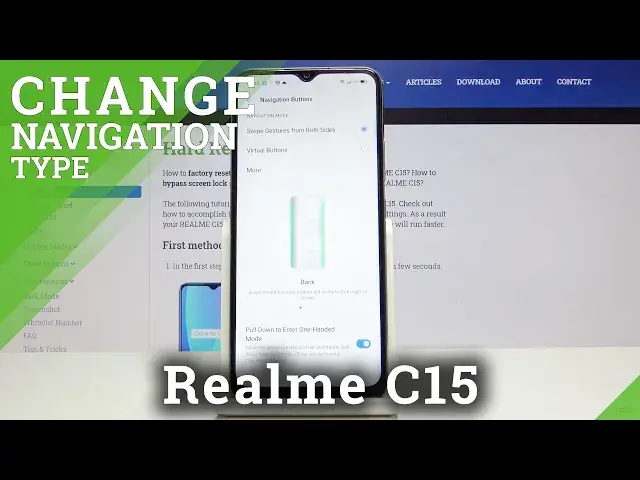

How to Enter Navigations Options in Realme C15 – Set Up Gesture Navigation Bar
Apr 29, 2024

Learn more info about REALME C15:
https://www.hardreset.info/pl/devices/realme/realme-c15/
If you want easily locate navigation bar settings on your Realme C15, then you should watch the above guide. Find out how to set up gesture navigation bar successfully within a few simple steps. Decide which option is better for you and start using it in order to make Realme C15 easier in usage. You can also visit our Youtube channel in order to discover more helpful tutorial for Realme C15 and other smartphones.
How to Change Bar Navigation in REALME C15? How to Mange Navigation Bar in REALME C15? How to Open Navigation Bar Settings in REALME C15? How to Customize Navigation Bar in REALME C15? How to Set Up Navigation Bar in REALME C15? How to Change Navigation Bar Settings in REALME C15? How to Enter Navigation Bar Settings in REALME C15? How to Find Navigation Bar Settings in REALME C15? How to locate Navigation Bar Settings in REALME C15? How to Customize Navigation Bar Settings in REALME C15? How to Check Navigation Bar Options in REALME C15? How to Manage Navigation Bar in REALME C15? How to Manage Home, Back and Recents Button in REALME C15? How to Change Navigation Bar Appearance in REALME C15? How to Change Appearance of the Navigation Bar in REALME C15?
Follow us on Instagram ► https://www.instagram.com/hardreset.info
Like us on Facebook ► https://www.facebook.com/hardresetinfo/
Tweet us on Twitter ► https://twitter.com/HardResetI
Show More Show Less